lib.align package
The align Package handles detected faces, their alignments and masks.
lib.align.aligned_face Module
Aligned faces for faceswap.py
- class lib.align.aligned_face.AlignedFace(landmarks: ndarray, image: ndarray | None = None, centering: Literal['face', 'head', 'legacy'] = 'face', size: int = 64, coverage_ratio: float = 1.0, y_offset: float = 0.0, dtype: str | None = None, is_aligned: bool = False, is_legacy: bool = False)
Class to align a face.
Holds the aligned landmarks and face image, as well as associated matrices and information about an aligned face.
- Parameters:
landmarks (np.ndarray) – The original 68 point landmarks that pertain to the given image for this face
image (np.ndarray | None) – The original frame that contains the face that is to be aligned. Pass None if the aligned face is not to be generated, and just the co-ordinates should be calculated.
centering (CenteringType) – The type of extracted face that should be loaded. “legacy” places the nose in the center of the image (the original method for aligning). “face” aligns for the nose to be in the center of the face (top to bottom) but the center of the skull for left to right. “head” aligns for the center of the skull (in 3D space) being the center of the extracted image, with the crop holding the full head. Default: “face”
size (int) – The size in pixels, of each edge of the final aligned face. Default: 64
coverage_ratio (float) – The amount of the aligned image to return. A ratio of 1.0 will return the full contents of the aligned image. A ratio of 0.5 will return an image of the given size, but will crop to the central 50%% of the image.
y_offset (float) – Amount to adjust the aligned face along the y-axis in the range -1. to 1. Default: 0.0
dtype (str | None) – Set a data type for the final face to be returned as. Passing
Nonewill return a face with the same data type as the originalimage. Default:Noneis_aligned_face – Indicates that the
imageis an aligned face rather than a frame. Default:Falseis_legacy (bool) – Only used if is_aligned is
True.Trueindicates that the aligned image being loaded is a legacy extracted face rather than a current head extracted faceis_aligned (bool)
- property adjusted_matrix: ndarray
The 3x2 transformation matrix for extracting and aligning the core face area out of the original frame with padding and sizing applied.
- property average_distance: float
The average distance of the core landmarks (18-67) from the mean face that was used for aligning the image.
- property centering: Literal['legacy', 'head', 'face']
The centering of the Aligned Face. One of “legacy”, “head”, “face”.
- extract_face(image: ndarray | None) ndarray | None
Extract the face from a source image and populate
face. If an image is not provided thenNoneis returned.- Parameters:
image (ndarray | None) – The original frame to extract the face from.
Noneif the face should not be extracted- Returns:
The extracted face at the given size, with the given coverage of the given dtype or
Noneif no image has been provided.
- Return type:
ndarray | None
- property face: ndarray | None
The aligned face at the given
sizeat the specifiedcoveragein the givendtype. If animagehas not been provided then an the attribute will returnNone.
- get_landmark_mask(area: T.Literal['eye', 'mouth', 'face', 'face_extended'], dilation: float = 0, blur_kernel: int = 0, blur_type: T.Literal['gaussian', 'normalized'] | None = 'gaussian', blur_passes: int = 1) npt.NDArray[np.uint8]
Obtain a
LandmarksMaskbased mask for this faceLandmark based masks are generated from Aligned Face landmark points.
- Parameters:
area (T.Literal['eye', 'mouth', 'face', 'face_extended']) – The type of mask to obtain. face is a full face mask, face_extended is a face mask that extends above the eyebrows. The others are masks for those specific areas
dilation (float) – The amount of dilation to apply to the mask. as a percentage of the mask size. Default: 0
blur_kernel (int) – The kernel size, in pixels to apply gaussian blurring to the mask. Set to 0 for no blurring. Should be odd, if an even number is passed in (outside of 0) then it is rounded up to the next odd number. Default: 0
blur_type (T.Literal['gaussian', 'normalized'] | None) – The blur type to use.
gaussianornormalizedbox filter. Default:gaussianblur_passes (int) – The number of passed to perform when blurring. Default: 1
- Return type:
The requested Landmarks Mask
- property interpolators: tuple[int, int]
(interpolator and reverse interpolator) for the
adjusted matrix.
- property landmark_type: LandmarkType
The type of landmarks that generated this aligned face
- property landmarks: ndarray
The 68 point facial landmarks aligned to the extracted face box.
- property matrix: ndarray
The 3x2 transformation matrix for extracting and aligning the core face area out of the original frame, with no padding or sizing applied. The returned matrix is offset for the given
centering.
- property normalized_landmarks: ndarray
The 68 point facial landmarks normalized to 0.0 - 1.0 as aligned by Umeyama.
- property original_roi: ndarray
The location of the extracted face box within the original frame.
- property padding: int
The amount of padding (in pixels) that is applied to each side of the extracted face image for the selected extract type.
- property pose: PoseEstimate
The estimated pose in 3D space.
- property relative_eye_mouth_position: float
Value representing the relative position of the lowest eye/eye-brow point to the highest mouth point. Positive values indicate that eyes/eyebrows are aligned above the mouth, negative values indicate that eyes/eyebrows are misaligned below the mouth.
- property size: int
The size (in pixels) of one side of the square extracted face image.
- transform_points(points: ndarray, invert: bool = False) ndarray
Perform transformation on a series of (x, y) co-ordinates in world space into aligned face space.
- Parameters:
points (ndarray) – The points to transform
invert (bool) –
Trueto reverse the transformation (i.e. transform the points into world space from aligned face space). Default:False
- Return type:
The transformed points
- property y_offset: float
Additional offset applied to the face along the y-axis in -1. to 1. range
- lib.align.aligned_face.batch_umeyama(source: ndarray, destination: ndarray, estimate_scale: bool) ndarray
A batch implementation to estimate N-D similarity transformation with or without scaling.
- Parameters:
source (ndarray) – (B, M, N) array source coordinates.
destination (ndarray) – (M, N) array destination coordinates.
estimate_scale (bool) – Whether to estimate scaling factor.
- Returns:
(B, N + 1, N + 1) The homogeneous similarity transformation matrix. The matrix contains NaN
values only if the problem is not well-conditioned.
- Return type:
ndarray
References
Functions
|
A batch implementation to estimate N-D similarity transformation with or without scaling. |
Classes
|
Class to align a face. |
lib.align.aligned_mask Module
Handles retrieval and storage of Faceswap aligned masks
- class lib.align.aligned_mask.BlurMask(blur_type: Literal['gaussian', 'normalized'], mask: ndarray, kernel: int | float, is_ratio: bool = False, passes: int = 1)
Factory class to return the correct blur object for requested blur type.
Works for square images only. Currently supports Gaussian and Normalized Box Filters.
- Parameters:
blur_type (T.Literal['gaussian', 'normalized']) – The type of blur to use
mask (np.ndarray) – The mask to apply the blur to
kernel (int | float) – Either the kernel size (in pixels) or the size of the kernel as a ratio of mask size
is_ratio (bool) – Whether the given
kernelparameter is a ratio or not. IfTruethen the actual kernel size will be calculated from the given ratio and the mask size. IfFalsethen the kernel size will be set directly from thekernelparameter. Default:Falsepasses (int) – The number of passes to perform when blurring. Default:
1
Example
>>> print(mask.shape)
(128, 128, 1)
>>> new_mask = BlurMask("gaussian", mask, 3, is_ratio=False, passes=1).blurred
>>> print(new_mask.shape)
(128, 128, 1)
- property blurred: ndarray
The final mask with blurring applied.
- class lib.align.aligned_mask.LandmarksMask(area: T.Literal['eye', 'mouth', 'face', 'face_extended'], landmark_type: LandmarkType, landmarks: npt.NDArray[np.float32], size: int, dilation: float = 0.0, blur_kernel: int = 0, blur_type: T.Literal['gaussian', 'normalized'] | None = 'gaussian', blur_passes: int = 1)
Create a single channel mask from aligned landmark points.
Landmarks masks are created on the fly, so the stored centering and size should be the same as the aligned face that the mask will be applied to. As the masks are created on the fly, blur + dilation is applied to the mask at creation (prior to compression) rather than after decompression when requested.
Note
Threshold is not used for Landmarks mask as the mask is binary
- Parameters:
area (T.Literal['eye', 'mouth', 'face', 'face_extended']) – The type of mask to obtain. face is a full face mask, face_extended is a face mask that extends above the eyebrows. The others are masks for those specific areas
landmark_type (LandmarkType) – The type of landmarks that this mask is being created from
landmarks (npt.NDArray[np.float32]) – The landmarks to generate the mask from
size (int) – The size (in pixels) that the compressed mask should be
dilation (float) – The amount of dilation to apply to the mask. as a percentage of the mask size. Default: 0.0
blur_kernel (int) – The kernel size, in pixels to apply gaussian blurring to the mask. Set to 0 for no blurring. Should be odd, if an even number is passed in (outside of 0) then it is rounded up to the next odd number. Default: 0
blur_type (T.Literal['gaussian', 'normalized'] | None) – The blur type to use.
gaussianornormalizedbox filter. Default:gaussianblur_passes (int) – The number of passed to perform when blurring. Default: 1
- blur_kernel
The kernel size, in pixels to apply gaussian blurring to the mask. Set to 0 for no blurring. Should be odd, if an even number is passed in (outside of 0) then it is rounded up to the next odd number. Default: 0
- blur_passes
1
- Type:
The number of passed to perform when blurring. Default
- blur_type: T.Literal['gaussian', 'normalized'] | None
The blur type to use.
gaussian,normalizedbox filter orNonefor no blur. Default:gaussian
- dilation
The amount of dilation to apply to the mask. as a percentage of the mask size. Default: 0.0
- generate_mask() npt.NDArray[np.uint8]
Generate the mask.
Creates the mask applying any requested dilation and blurring
- Return type:
The landmarks based mask
- mask
The mask at the size of
sizewith any requested blurring, threshold amount and centering applied.
- class lib.align.aligned_mask.Mask(storage_size: int = 128, storage_centering: CenteringType = 'face')
Face Mask information and convenience methods
Holds a Faceswap mask as generated from
plugins.extract.maskand the information required to transform it to its original frame.Holds convenience methods to handle the warping, storing and retrieval of the mask.
- Parameters:
storage_size (int) – The size (in pixels) that the mask should be stored at. Default: 128.
storage_centering (CenteringType) – The centering to store the mask at. One of “legacy”, “face”, “head”. Default: “face”
- stored_size
The size, in pixels, of the stored mask across its height and width.
- stored_centering
The centering that the mask is stored at. One of “legacy”, “face”, “head”
- Type:
CenteringType
- add(mask: npt.NDArray[np.uint8], affine_matrix: npt.NDArray[np.float32]) T.Self
Add a Faceswap mask to this
Mask.The mask should be the original output from
plugins.extract.mask- Parameters:
mask (npt.NDArray[np.uint8]) – The mask that is to be added as output from
plugins.extract.maskas a UINT8 imageaffine_matrix (npt.NDArray[np.float32]) – The normalized transformation matrix required to transform the mask from (0, 1) to the original frame.
- Return type:
This mask object
- property affine_matrix: ndarray
The affine matrix to transpose the mask to a full frame.
- from_dict(mask: MaskAlignmentsFile) Self
Populates the
Maskfrom a dictionary loaded from an alignments file.- Parameters:
mask (MaskAlignmentsFile) – A dictionary stored in an alignments file containing the keys
mask,affine_matrix,interpolator,stored_size,stored_centering- Return type:
This loaded Mask object
- get_full_frame_mask(width: int, height: int) ndarray
Return the stored mask in a full size frame of the given dimensions
- Parameters:
width (int) – The width of the original frame that the mask was extracted from
height (int) – The height of the original frame that the mask was extracted from
- Return type:
The mask affined to the original full frame of the given dimensions
- property interpolator: int
The cv2 interpolator required to transpose the mask to a full frame.
- property mask: ndarray
The mask at the size of
stored_sizewith any requested blurring, threshold amount and centering applied.
- property original_roi: ndarray
The original region of interest of the mask in the source frame.
- replace_mask(mask: npt.NDArray[np.uint8]) None
Replace the existing
_maskwith the given mask.- Parameters:
mask (npt.NDArray[np.uint8]) – The mask that is to be added as output from
plugins.extract.maskas a UINT8 image- Return type:
None
- set_blur_and_threshold(blur_kernel: int = 0, blur_type: Literal['gaussian', 'normalized'] | None = 'gaussian', blur_passes: int = 1, threshold: int = 0) None
Set the internal blur kernel and threshold amount for returned masks
- Parameters:
blur_kernel (int) – The kernel size, in pixels to apply gaussian blurring to the mask. Set to 0 for no blurring. Should be odd, if an even number is passed in (outside of 0) then it is rounded up to the next odd number. Default: 0
blur_type (Literal['gaussian', 'normalized'] | None) – The blur type to use.
gaussianornormalizedbox filter. Default:gaussianblur_passes (int) – The number of passed to perform when blurring. Default: 1
threshold (int) – The threshold amount to minimize/maximize mask values to 0 and 100. Percentage value. Default: 0
- Return type:
None
- set_dilation(amount: float) None
Set the internal dilation object for returned masks
- Parameters:
amount (float) – The amount of erosion/dilation to apply as a percentage of the total mask size. Negative values erode the mask. Positive values dilate the mask
- Return type:
None
- set_sub_crop(source_offset: np.ndarray, target_offset: np.ndarray, centering: CenteringType, coverage_ratio: float = 1.0, y_offset: float = 0.0) None
Set the internal crop area of the mask to be returned.
This impacts the returned mask from
maskif the requested mask is required for different face centering than what has been stored.- Parameters:
source_offset (np.ndarray) – The (x, y) offset for the mask at its stored centering
target_offset (np.ndarray) – The (x, y) offset for the mask at the requested target centering
centering (CenteringType) – The centering to set the sub crop area for. One of “legacy”, “face”. “head”
coverage_ratio (float) – The coverage ratio to be applied to the target image.
Nonefor default (1.0). Default:Noney_offset (float) – Amount to additionally adjust the masks’s offset along the y-axis. Default: 0.0
- Return type:
None
- property stored_mask: ndarray
The mask at the size of
stored_sizeas it is stored (i.e. with no blurring/ centering applied).
- to_dict(is_png=False) MaskAlignmentsFile
Convert the mask to a dictionary for saving to an alignments file
- Parameters:
is_png –
Trueif the dictionary is being created for storage in a png header otherwiseFalse. Default:False- Returns:
The
Maskfor saving to an alignments file. Contains the keysmask,affine_matrix,interpolator,stored_size,stored_centering
- Return type:
- to_png_meta() MaskAlignmentsFile
Convert the mask to a dictionary supported by png itxt headers.
- Returns:
The
Maskfor saving to an alignments file. Contains the keysmask,affine_matrix,interpolator,stored_size,stored_centering
- Return type:
Classes
|
Factory class to return the correct blur object for requested blur type. |
|
Create a single channel mask from aligned landmark points. |
|
Face Mask information and convenience methods |
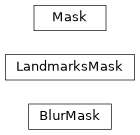
Class Inheritance Diagram
lib.align.aligned_utils Module
Tools for working with aligned faces and aligned masks
- lib.align.aligned_utils.batch_adjust_matrices(matrices: npt.NDArray[np.float32], size: int, padding: int, reverse: bool = False) npt.NDArray[np.float32]
Adjust a batch of normalized (0, 1) matrices to the given size and padding, or the reverse
- Parameters:
matrices (npt.NDArray[np.float32]) – The (N, 3, 3) or (N, 2, 3) matrices to adjust
size (int) – The size to adjust the matrices to
padding (int) – The padding to apply to each side of the adjusted matrices
reverse (bool) –
Trueto adjust normalized matrices to the given size.Falseto adjust the given sized matrices to normalized matrices. Default:False
- Returns:
The adjusted matrices to the given size and padding if reverse is
Falseor the normalizedmatrix if reverse is
True
- Return type:
npt.NDArray[np.float32]
- lib.align.aligned_utils.batch_align(images: list[npt.NDArray[ImageDTypeT]], image_ids: npt.NDArray[np.int32], matrices: npt.NDArray[np.float32], size: int, fast_upscale: bool = True) npt.NDArray[ImageDTypeT]
Obtain a batch of aligned faces from the given images for the given matrices
- Parameters:
images (list[npt.NDArray[ImageDTypeT]]) – The full size images to obtain aligned faces from, either UINT8 or Float32 and 3 or 4 channels. All images must be the same dtype and have the same number of channels
image_ids (npt.NDArray[np.int32]) – The image id of each image in
image_idsfor each matrix inmatricesmatrices (npt.NDArray[np.float32]) – The adjustment matrices for taking the image patch from the frame for plugin input
size (int) – The size of the returned aligned faces
fast_upscale (bool) –
Trueto use cv2.INTER_LINEAR for upscale,Falseto use cv2.INTER_CUBIC. Default:True
- Return type:
Batch of aligned face patches of the same dtype as the input images
- lib.align.aligned_utils.batch_create_matrices(size: int, rotation: npt.NDArray[np.float32], scale: npt.NDArray[np.float32] | None = None, translation: npt.NDArray[np.float32] | None = None) npt.NDArray[np.float32]
Generate affine transformation matrices for the given rotations, scales and translations
- Parameters:
size (int) – The size of the image that the matrix is transforming to
rotation (npt.NDArray[np.float32]) – A 1D batch of rotation amounts or
Nonefor no rotation. Default:Nonescale (npt.NDArray[np.float32] | None) – A 1D batch of scale amounts or
Nonefor no scaling. Default:Nonetranslation (npt.NDArray[np.float32] | None) – A 2D batch of (x, y) translation amounts or
Nonefor no translation. Default:None
- Return type:
The (3, 3) transformation matrices for the requested transform
- lib.align.aligned_utils.batch_resize(images: npt.NDArray[ImageDTypeT], size: int, fast_upscale: bool = True) npt.NDArray[ImageDTypeT]
Resize a batch of square images of the same dimensions to the given size
- Parameters:
images (npt.NDArray[ImageDTypeT]) – The batch of square images to be resized
size (int) – The required final size of the images
fast_upscale (bool) –
Trueto use cv2.INTER_LINEAR for upscale,Falseto use cv2.INTER_CUBIC. Default:True
- Return type:
The resized images
- lib.align.aligned_utils.batch_sub_crop(images: npt.NDArray[np.uint8], offsets: npt.NDArray[np.int32], out_size: int, base_grid: tuple[npt.NDArray[np.int32], npt.NDArray[np.int32]] | None = None) npt.NDArray[np.uint8]
- lib.align.aligned_utils.batch_sub_crop(images: npt.NDArray[np.float32], offsets: npt.NDArray[np.int32], out_size: int, base_grid: tuple[npt.NDArray[np.int32], npt.NDArray[np.int32]] | None = None) npt.NDArray[np.float32]
Obtain aligned sub-crops from larger aligned images. Handles OOB. Outputs are replicate padded
- Parameters:
images (npt.NDArray[np.uint8 | np.float32]) – The (N, H, W, C) full size extracted images
offsets (npt.NDArray[np.int32]) – The (N, x, y) offsets to shift the sub-crops.
out_size (int) – The output size of the sub-crop
base_grid (tuple[npt.NDArray[np.int32], npt.NDArray[np.int32]] | None) – Pre-computed base mesh grid used to build crop indices. Should be a tuple (yy, xx) where each entry is a numpy array (int32) of shape (out_size, out_size) of row/column indices starting at 0, Providing this avoids rebuilding the meshgrid on every call. Default:
None(calculate within the function)
- Return type:
npt.NDArray[np.uint8 | np.float32]
- lib.align.aligned_utils.batch_transform(matrices: npt.NDArray[np.float32], points: npt.NDArray[np.float32], in_place: bool = False) npt.NDArray[np.float32]
Batch transform an array of (N, M, 2) points by the given (N, 3, 3) affine matrices
- Parameters:
matrices (npt.NDArray[np.float32]) – The matrices to use to transform the points
points (npt.NDArray[np.float32]) – The points to be transformed
in_place (bool) –
Trueto directly transform the given points in place.Falseto return a new array
- Return type:
The transformed points
- lib.align.aligned_utils.get_adjusted_center(image_size: int, source_offset: np.ndarray, target_offset: np.ndarray, source_centering: CenteringType, y_offset: float) np.ndarray
Obtain the correct center of a face extracted image to translate between two different extract centerings.
- Parameters:
image_size (int) – The size of the image at the given
source_centeringsource_offset (np.ndarray) – The pose offset to translate a base extracted face to source centering
target_offset (np.ndarray) – The pose offset to translate a base extracted face to target centering
source_centering (CenteringType) – The centering of the source image
y_offset (float) – Amount to additionally offset the center of the image along the y-axis
- Return type:
The center point of the image at the given size for the target centering
- lib.align.aligned_utils.get_base_scale(source_centering: CenteringType, source_coverage: float = 1.0) float
For an aligned patch of the given centering and the given coverage, obtain the ratio of the patch that contains the core central area with no padding applied
- Parameters:
source_centering (CenteringType) – The centering type of the image patch to obtain the core ratio for
source_coverage (float) – The coverage of the source patch to obtain the core ratio for. Default: 1.0
- Return type:
The ratio of the patch of the given centering and coverage that contains the core patch
- lib.align.aligned_utils.get_base_size(size: int, source_centering: CenteringType, source_coverage: float = 1.0) int
For an aligned patch of the given size, centering and coverage, obtain the size of the patch that contains the core central area with no padding applied
- Parameters:
size (int) – The size of the larger patch to obtain the core size for
source_centering (CenteringType) – The centering type of the image patch to obtain the core size for
source_coverage (float) – The coverage of the source patch to obtain the core size for. Default: 1.0
- Return type:
The size of the core patch of larger patch of the given size, centering and coverage
- lib.align.aligned_utils.get_matrix_scaling(matrix: ndarray) tuple[int, int]
Given a matrix, return the cv2 Interpolation method and inverse interpolation method for applying the matrix on an image.
- Parameters:
matrix (ndarray) – The transform matrix to return the interpolator for
- Returns:
The interpolator and inverse interpolator for the given matrix. This will be (Cubic, Area) for
an upscale matrix and (Area, Cubic) for a downscale matrix
- Return type:
tuple[int, int]
- lib.align.aligned_utils.get_sub_crop_scale(source_centering: CenteringType, target_centering: CenteringType, source_coverage: float = 1.0, target_coverage: float = 1.0) float
For a source aligned patch of the given centering and the given coverage, obtain the ratio to obtain a destination patch of the given coverage
- Parameters:
source_centering (CenteringType) – The centering type of the source image patch to obtain the destination ratio for
target_centering (CenteringType) – The centering type of the destination image patch to obtain the ratio for
source_coverage (float) – The coverage of the source patch to obtain the destination ratio for. Default: 1.0
target_coverage (float) – The coverage of the destination patch to obtain the ratio for. Default: 1.0
- Return type:
The ratio to take the source patch to the destination patch for the given coverage ratios
- lib.align.aligned_utils.get_sub_crop_size(source_centering: CenteringType, target_centering: CenteringType, size: int, coverage_ratio: float = 1.0) int
Obtain the size of a cropped face from an aligned image.
Given an image of a certain dimensions, returns the dimensions of the sub-crop within that image for the requested centering at the requested coverage ratio
Notes
“legacy” places the nose in the center of the image (the original method for aligning). “face” aligns for the nose to be in the center of the face (top to bottom) but the center of the skull for left to right. “head” places the center in the middle of the skull in 3D space.
The ROI in relation to the source image is calculated by rounding the padding of one side to the nearest integer then applying this padding to the center of the crop, to ensure that any dimensions always have an even number of pixels.
- Parameters:
source_centering (CenteringType) – The centering that the original image is aligned at
target_centering (CenteringType) – The centering that the sub-crop size should be obtained for
size (int) – The size of the source image to obtain the cropped size for
coverage_ratio (float) – The coverage ratio to be applied to the target image. Default: 1.0
- Return type:
The pixel size of a sub-crop image from a full head aligned image with the given coverage ratio
- lib.align.aligned_utils.points_to_68(landmarks: npt.NDArray[np.float32], landmark_type: LandmarkType | None = None) npt.NDArray[np.float32]
Map the given non-68 point landmarks to 68 point landmarks
- Parameters:
landmarks (npt.NDArray[np.float32]) – The non-68 point landmarks, either (N, P, 2) or (P, 2)
landmark_type (LandmarkType | None) – The type of landmarks that have been provided or
Noneif to infer from the input landmarks. Default:None
- Return type:
The (N, 68, 2) or (68, 2) mapped landmarks
- lib.align.aligned_utils.sub_crop(image: npt.NDArray[np.uint8], offset: npt.NDArray[np.int32], out_size: int) npt.NDArray[np.uint8]
- lib.align.aligned_utils.sub_crop(image: npt.NDArray[np.float32], offset: npt.NDArray[np.int32], out_size: int) npt.NDArray[np.float32]
Obtain an aligned sub-crop from a larger aligned image. Handles OOB. Output is zero padded
- Parameters:
image (npt.NDArray[np.uint8 | np.float32]) – The (H, W, C) full size extracted image.
offset (npt.NDArray[np.int32]) – The (x, y) offset to shift the sub-crop.
out_size (int) – The output size of the sub-crop.
- Return type:
npt.NDArray[np.uint8 | np.float32]
- lib.align.aligned_utils.transform_image(image: ndarray, matrix: ndarray, size: int, padding: int = 0) ndarray
Perform transformation on an image, applying the given size and padding to the matrix.
- Parameters:
image (ndarray) – The image to transform
matrix (ndarray) – The transformation matrix to apply to the image
size (int) – The final size of the transformed image
padding (int) – The amount of padding to apply to the final image. Default: 0
- Return type:
The transformed image
Functions
|
Adjust a batch of normalized (0, 1) matrices to the given size and padding, or the reverse |
|
Obtain a batch of aligned faces from the given images for the given matrices |
|
Generate affine transformation matrices for the given rotations, scales and translations |
|
Resize a batch of square images of the same dimensions to the given size |
|
Obtain aligned sub-crops from larger aligned images. |
|
Batch transform an array of (N, M, 2) points by the given (N, 3, 3) affine matrices |
|
Obtain the correct center of a face extracted image to translate between two different extract centerings. |
|
For an aligned patch of the given centering and the given coverage, obtain the ratio of the patch that contains the core central area with no padding applied |
|
For an aligned patch of the given size, centering and coverage, obtain the size of the patch that contains the core central area with no padding applied |
|
Given a matrix, return the cv2 Interpolation method and inverse interpolation method for applying the matrix on an image. |
|
For a source aligned patch of the given centering and the given coverage, obtain the ratio to obtain a destination patch of the given coverage |
|
Obtain the size of a cropped face from an aligned image. |
|
Map the given non-68 point landmarks to 68 point landmarks |
|
Obtain an aligned sub-crop from a larger aligned image. |
|
Perform transformation on an image, applying the given size and padding to the matrix. |
Variables
Type variable. |
lib.align.alignments Module
Alignments file functions for reading, writing and manipulating the data stored in a serialized alignments file.
- class lib.align.alignments.Alignments(folder: str, filename: str = 'alignments')
The alignments file is a custom serialized
.fsafile that holds information for each frame for a video or series of images.Specifically, it holds a list of faces that appear in each frame. Each face contains information detailing their detected bounding box location within the frame, the 68 point facial landmarks and any masks that have been extracted.
Additionally it can also hold video meta information (timestamp and whether a frame is a key frame.)
- Parameters:
folder (str) – The folder that contains the alignments
.fsafilefilename (str) – The filename of the
.fsaalignments file. If not provided then the given folder will be checked for a default alignments file filename. Default: “alignments”
- add_face(frame_name: str, face: FileAlignments) int
Add a new face for the given frame_name in
dataand return it’s index.- Parameters:
frame_name (str) – The frame name to add the face to. This should be the base name of the frame, not the full path
face (FileAlignments) – The face information to add to the given frame_name, correctly formatted for storing in
data
- Return type:
The index of the newly added face within
datafor the given frame_name
- backup() None
Create a backup copy of the alignments
file.Creates a copy of the serialized alignments
fileappending a timestamp onto the end of the file name and storing in the same folder as the originalfile.- Return type:
None
- count_faces_in_frame(frame_name: str) int
Return number of faces that appear within
datafor the given frame_name.- Parameters:
frame_name (str) – The frame name to return the count for. This should be the base name of the frame, not the full path
- Return type:
The number of faces that appear in the given frame_name
- property data: dict[str, AlignmentsEntry]
The loaded alignments
filein dictionary form.
- delete_face_at_index(frame_name: str, face_index: int) bool
Delete the face for the given frame_name at the given face index from
data.- Parameters:
frame_name (str) – The frame name to remove the face from. This should be the base name of the frame, not the full path
face_index (int) – The index number of the face within the given frame_name to remove
- Return type:
Trueif a face was successfully deleted otherwiseFalse
- property file: str
The full path to the currently loaded alignments file.
- filter_faces(filter_dict: dict[str, list[int]], filter_out: bool = False) None
Remove faces from
databased on a given filter list.- Parameters:
filter_dict (dict[str, list[int]]) – Dictionary of source filenames as key with a list of face indices to filter as value.
filter_out (bool) –
Trueif faces should be removed fromdatawhen there is a corresponding match in the given filter_dict.Falseif faces should be kept indatawhen there is a corresponding match in the given filter_dict, but removed if there is no match. Default:False
- Return type:
None
- frame_exists(frame_name: str) bool
Check whether a given frame_name exists within the alignments
data.- Parameters:
frame_name (str) – The frame name to check. This should be the base name of the frame, not the full path
- Returns:
Trueif the given frame_name exists within the alignmentsdataotherwiseFalse
- Return type:
bool
- frame_has_faces(frame_name: str) bool
Check whether a given frame_name exists within the alignments
dataand contains at least 1 face.- Parameters:
frame_name (str) – The frame name to check. This should be the base name of the frame, not the full path
- Returns:
Trueif the given frame_name exists within the alignmentsdataand has at least1 face associated with it, otherwise
False
- Return type:
bool
- frame_has_multiple_faces(frame_name: str) bool
Check whether a given frame_name exists within the alignments
dataand contains more than 1 face.- Parameters:
frame_name (str) – The frame_name name to check. This should be the base name of the frame, not the full path
- Returns:
Trueif the given frame_name exists within the alignmentsdataand has morethan 1 face associated with it, otherwise
False
- Return type:
bool
- get_faces_in_frame(frame_name: str) list[FileAlignments]
Obtain the faces from
dataassociated with a given frame_name.- Parameters:
frame_name (str) – The frame name to return faces for. This should be the base name of the frame, not the full path
- Return type:
The list of face dictionaries that appear within the requested frame_name
- property have_alignments_file: bool
Trueif an alignments file exists at locationfileotherwiseFalse.
- mask_is_valid(mask_type: str) bool
Ensure the given
mask_typeis valid for the alignmentsdata.Every face in the alignments
datamust have the given mask type to successfully pass the test.- Parameters:
mask_type (str) – The mask type to check against the current alignments
data- Returns:
Trueif all faces in the current alignments possess the givenmask_typeotherwiseFalse
- Return type:
bool
- property mask_summary: dict[str, int]
The mask type names stored in the alignments
dataas key with the number of faces which possess the mask type as value.
- save() None
Write the contents of
dataand_metato a serialized.fsafile at the locationfile.- Return type:
None
- save_video_meta_data(pts_time: list[int], keyframes: list[int]) None
Save video meta data to the alignments file.
If the alignments file does not have an entry for every frame (e.g. if Extract Every N was used) then the frame is added to the alignments file with no faces, so that they video meta data can be stored.
- Parameters:
pts_time (list[int]) – A list of presentation timestamps (int) in frame index order for every frame in the input video
keyframes (list[int]) – A list of frame indices corresponding to the key frames in the input video
- Return type:
None
- property thumbnails: Thumbnails
The low resolution thumbnail images that exist within the alignments file
- update_face(frame_name: str, face_index: int, face: FileAlignments) None
Update the face for the given frame_name at the given face index in
data.- Parameters:
frame_name (str) – The frame name to update the face for. This should be the base name of the frame, not the full path
face_index (int) – The index number of the face within the given frame_name to update
face (FileAlignments) – The face information to update to the given frame_name at the given face_index, correctly formatted for storing in
data
- Return type:
None
- update_from_dict(data: dict[str, AlignmentsEntry]) None
Replace all alignments with the contents of the given dictionary
- Parameters:
data (dict[str, AlignmentsEntry]) – The alignments, in correctly formatted dictionary form, to be populated into this
Alignments- Return type:
None
- update_legacy_has_source(filename: str) None
Update legacy alignments files when we have the source filename available.
Updates here can only be performed when we have the source filename
- Parameters:
filename (str) – The filename/folder of the original source images/video for the current alignments
- Return type:
None
- property version: float
The alignments file version number.
- Type:
float
- property video_meta_data: dict[Literal['pts_time', 'keyframes'], list[int]] | None
The frame meta data stored in the alignments file. If data does not exist in the alignments file then
Noneis returned
- yield_faces() Generator[tuple[str, list[FileAlignments], int, str], None, None]
Generator to obtain all faces with meta information from
data. The results are yielded by frame.Notes
The yielded order is non-deterministic.
- Yields:
frame_name – The frame name that the face belongs to. This is the base name of the frame, as it appears in
data, not the full pathfaces – The list of face dict objects that exist for this frame
face_count – The number of faces that exist within
datafor this frameframe_fullname – The full path (folder and filename) for the yielded frame
- Return type:
Generator[tuple[str, list[FileAlignments], int, str], None, None]
Classes
|
The alignments file is a custom serialized |
lib.align.constants Module
Constants that are required across faceswap’s lib.align package
- class lib.align.constants.LandmarkType(*values)
Enumeration for the landmark types that Faceswap supports
- classmethod from_shape(shape: tuple[int, int]) LandmarkType
The landmark type for a given shape
- Parameters:
shape (tuple[int, int]) – The shape to get the landmark type for
- Return type:
The enum for the given shape
- Raises:
ValueError – If the requested shape is not valid
Classes
|
Enumeration for the landmark types that Faceswap supports |
Class Inheritance Diagram

lib.align.detected_face Module
Face and landmarks detection for faceswap.py
- class lib.align.detected_face.DetectedFace(image: ndarray | None = None, left: int | None = None, width: int | None = None, top: int | None = None, height: int | None = None, landmarks_xy: ndarray | None = None, mask: dict[str, Mask] | None = None, identity: dict[str, ndarray] | None = None)
Detected face and landmark information
Holds information about a detected face, it’s location in a source image and the face’s 68 point landmarks.
Methods for aligning a face are also callable from here.
- Parameters:
image (np.ndarray | None) – Original frame that holds this face. Optional (not required if just storing coordinates). Default:
Noneleft (int | None) – The left most point (in pixels) of the face’s bounding box as discovered in
plugins.extract.detectwidth (int | None) – The width (in pixels) of the face’s bounding box as discovered in
plugins.extract.detecttop (int | None) – The top most point (in pixels) of the face’s bounding box as discovered in
plugins.extract.detectheight (int | None) – The height (in pixels) of the face’s bounding box as discovered in
plugins.extract.detectlandmarks_xy (np.ndarray | None) – The 68 point landmarks as discovered in
plugins.extract.align. Should be an array of 68 (x, y) points of each of the landmark co-ordinates.mask (dict[str, aligned_mask.Mask] | None) – The generated mask(s) for the face as generated in
plugins.extract.mask.identity (dict[str, np.ndarray] | None)
- add_identity(name: str, embedding: ndarray) None
Add an identity embedding to this detected face. If an identity already exists for the given
nameit will be overwritten- Parameters:
name (str) – The name of the mechanism that calculated the identity
embedding (ndarray) – The identity embedding
- Return type:
None
- add_landmarks_xy(landmarks: ndarray) None
Add landmarks to the detected face object. If landmarks already exist, they will be overwritten.
- Parameters:
landmarks (ndarray) – The 68 point face landmarks to add for the face
- Return type:
None
- add_mask(name: str, mask: npt.NDArray[np.uint8], affine_matrix: np.ndarray, storage_size: int = 128, storage_centering: CenteringType = 'face') None
Add a
Maskto this detected faceThe mask should be the original output from
plugins.extract.maskIf a mask with this name already exists it will be overwritten by the given mask.- Parameters:
name (str) – The name of the mask as defined by the
plugins.extract.mask._base.nameparameter.mask (npt.NDArray[np.uint8]) – The mask that is to be added as output from
plugins.extract.maskas a UINT8 imageaffine_matrix (np.ndarray) – The transformation matrix required to transform the mask to the original frame.
storage_size (int) – The size the mask is to be stored at. Default: 128
storage_centering (CenteringType) – The centering to store the mask at. One of “legacy”, “face”, “head”. Default: “face”
- Return type:
None
- property aligned: AlignedFace
The aligned face connected to this detected face.
- property bottom: int
Bottom point (in pixels) of face detection bounding box within the parent image
- clear_all_identities() None
Remove all stored identity embeddings
- Return type:
None
- from_alignment(alignment: FileAlignments | PNGAlignments, image: ndarray | None = None, with_thumb: bool = False) Self
Set the attributes of this class from an alignments file and optionally load the face into the
imageattribute.- Parameters:
alignment (FileAlignments | PNGAlignments) – The alignment object to obtain the alignments from
image (ndarray | None) – If an image is passed in, then the
imageattribute will be set to the cropped face based on the passed in bounding box co-ordinateswith_thumb (bool) – Whether to load the jpg thumbnail into the detected face object, if provided. Default:
False
- Return type:
This DetectedFace object populated by the incoming alignment dict
- from_png_meta(alignment: PNGAlignments) Self
Set the attributes of this class from alignments stored in a png exif header.
- Parameters:
alignment (PNGAlignments) – A dictionary entry for a face from alignments stored in a png exif header containing the keys
x,w,y,h,landmarks_xyandmask- Return type:
Self
- get_landmark_mask(area: T.Literal['eye', 'mouth', 'face', 'face_extended'], dilation: float = 0, blur_kernel: int = 0, blur_type: T.Literal['gaussian', 'normalized'] | None = 'gaussian', blur_passes: int = 1) npt.NDArray[np.uint8]
Obtain a
LandmarksMaskfor this faceLandmark based masks are generated from Aligned Face landmark points. An aligned face must be loaded. As the data is coming from the already aligned face, no further mask cropping is required.
- Parameters:
area (T.Literal['eye', 'mouth', 'face', 'face_extended']) – The type of mask to obtain. face is a full face mask, face_extended is a face mask that extends above the eyebrows. The others are masks for those specific areas
dilation (float) – The amount of dilation to apply to the mask. as a percentage of the mask size. Default: 0
blur_kernel (int) – The kernel size, in pixels to apply gaussian blurring to the mask. Set to 0 for no blurring. Should be odd, if an even number is passed in (outside of 0) then it is rounded up to the next odd number. Default: 0
blur_type (T.Literal['gaussian', 'normalized'] | None) – The blur type to use.
gaussianornormalizedbox filter. Default:gaussianblur_passes (int) – The number of passed to perform when blurring. Default: 1
- Return type:
The generated landmarks mask for the selected area
- get_training_masks() ndarray | None
Obtain the decompressed combined training masks.
- Returns:
A 3D array containing the decompressed training masks as uint8 in 0-255 range if
training masks are present otherwise
None
- Return type:
ndarray | None
- property has_landmarks: bool
Trueif this object contains landmarks
- height
The height (in pixels) of the face’s bounding box as discovered in
plugins.extract.detect
- property identity: dict[str, ndarray]
Identity mechanism as key, identity embedding as value
- image
This is a generic image placeholder that should not be relied on to be holding a particular image. It may hold the source frame that holds the face, a cropped face or a scaled image depending on the method using this object.
- property landmarks_xy: ndarray
The frame space 2D landmarks for this detected face.
- left
The left most point (in pixels) of the face’s bounding box as discovered in
plugins.extract.detect
- load_aligned(image: np.ndarray | None, size: int = 256, dtype: str | None = None, centering: CenteringType = 'head', coverage_ratio: float = 1.0, y_offset: float = 0.0, force: bool = False, is_aligned: bool = False, is_legacy: bool = False) None
Align a face from a given image.
Aligning a face is a relatively expensive task and is not required for all uses of the
DetectedFaceobject, so call this function explicitly to load an aligned face.This method plugs into
lib.align.AlignedFaceto perform face alignment based on this face’slandmarks_xy. If the face has already been aligned, then this function will return having performed no action.- Parameters:
image (np.ndarray | None) – The image that contains the face to be aligned. Default:
Nonesize (int) – The size of the output face in pixels. Default: 256
dtype (str | None) – Optionally set a
dtypefor the final face to be formatted in. Default:Nonecentering (Literal["legacy", "face", "head"]) – The type of extracted face that should be loaded. “legacy” places the nose in the center of the image (the original method for aligning). “face” aligns for the nose to be in the center of the face (top to bottom) but the center of the skull for left to right. “head” aligns for the center of the skull (in 3D space) being the center of the extracted image, with the crop holding the full head. Default: “head”
coverage_ratio (float) – The amount of the aligned image to return. A ratio of 1.0 will return the full contents of the aligned image. A ratio of 0.5 will return an image of the given size, but will crop to the central 50%% of the image. Default: 1.0
y_offset (float) – The amount to adjust the aligned face along the y_axis in -1. to 1. range. Default: 0.0
force (bool) – Force an update of the aligned face, even if it is already loaded. Default:
Falseis_aligned (bool) – Indicates that the
imageis an aligned face rather than a frame. Default:Falseis_legacy (bool) – Only used if is_aligned is
True.Trueindicates that the aligned image being loaded is a legacy extracted face rather than a current head extracted face
- Return type:
None
Notes
This method must be executed to get access to the following a
lib.align.aligned_face.AlignedFaceobject
- mask
The generated mask(s) for the face as generated in
plugins.extract.mask
- property right: int
Right point (in pixels) of face detection bounding box within the parent image
- store_training_masks(masks: list[ndarray | None], delete_masks: bool = False) None
Concatenate and compress the given training masks and store for retrieval.
- Parameters:
masks (list[ | None]) – A list of training mask. Must be all be uint-8 3D arrays of the same size in 0-255 range
delete_masks (bool) –
Trueto delete any of theMaskobjects owned by this detected face. Use to free up non-required memory usage. Default:False
- Return type:
None
- to_alignment() FileAlignments
Return the detected face formatted for an alignments file
- Returns:
The alignment dict will be returned with the keys
x,w,y,h,landmarks_xy,mask. The additional keythumbwill be provided if thedetected face object contains a thumbnail.
- Return type:
- to_png_meta() PNGAlignments
Return the detected face formatted for insertion into a png itxt header.
- Returns:
The alignments dict will be returned with the keys
x,w,y,h,landmarks_xyandmask
- Return type:
- top
The top most point (in pixels) of the face’s bounding box as discovered in
plugins.extract.detect
- width
The width (in pixels) of the face’s bounding box as discovered in
plugins.extract.detect
Classes
|
Detected face and landmark information |
lib.align.objects Module
Dataclass objects for holding and serializing alignments data
- class lib.align.objects.AlignmentsEntry(faces: list[~lib.align.objects.FileAlignments] = <factory>, video_meta: dict[~typing.Literal['pts_time', 'keyframe'], int] = <factory>)
Holds the alignments entry for a single frame in the Alignments data dictionary
- Parameters:
faces (list[FileAlignments])
video_meta (dict[Literal['pts_time', 'keyframe'], int])
- faces: list[FileAlignments] = <dataclasses._MISSING_TYPE object>
The detected faces in a frame
- video_meta: dict[Literal['pts_time', 'keyframe'], int] = <dataclasses._MISSING_TYPE object>
The keyframe to pts timestamp mapping for video data
- class lib.align.objects.DataclassDict
Parent DataClass that has methods for loading to and from a dict for data serialization
- classmethod from_dict(data_dict: dict[str, Any]) Self
Load the contents from a serialized python dict into this dataclass
- Parameters:
data_dict (dict[str, Any]) – The data to load into the dataclass
- Return type:
Self
- to_dict() dict[str, Any]
Obtain the contents of the dataclass object as a python dictionary
- Return type:
The dataclass object as a python dictionary, with numpy arrays converted to lists
- class lib.align.objects.FileAlignments(x: int, y: int, w: int, h: int, landmarks_xy: ~numpy._typing._array_like.NDArray[~numpy.float32], mask: dict[str, ~lib.align.objects.MaskAlignmentsFile] = <factory>, identity: dict[str, ~numpy._typing._array_like.NDArray[~numpy.float32]] = <factory>, thumb: ~numpy._typing._array_like.NDArray[~numpy.uint8] | None = None)
Dataclass that holds the same information as PNGAlignments as well as a thumbnail for a single face
- Parameters:
x (int)
y (int)
w (int)
h (int)
landmarks_xy (NDArray[float32])
mask (dict[str, MaskAlignmentsFile])
identity (dict[str, NDArray[float32]])
thumb (NDArray[uint8] | None)
- thumb: NDArray[uint8] | None = None
96px JPEG thumbnail of the aligned face image stored as a list
- class lib.align.objects.MaskAlignmentsFile(mask: bytes, affine_matrix: NDArray[float32], interpolator: int, stored_size: int, stored_centering: Literal['face', 'head', 'legacy'])
Dataclass for storing Masks in alignments files and PNG Headers
- Parameters:
mask (bytes)
affine_matrix (NDArray[float32])
interpolator (int)
stored_size (int)
stored_centering (Literal['face', 'head', 'legacy'])
- affine_matrix: NDArray[float32] = <dataclasses._MISSING_TYPE object>
The affine matrix that takes the mask from stored space to frame space
- interpolator: int = <dataclasses._MISSING_TYPE object>
The interpolator required to take the mask from stored space to frame space
- mask: bytes = <dataclasses._MISSING_TYPE object>
The zlib compressed UINT8 mask of shape (stored_size, stored_size)
- stored_centering: Literal['face', 'head', 'legacy'] = <dataclasses._MISSING_TYPE object>
The (legacy, face, head) centering type of the mask
- stored_size: int = <dataclasses._MISSING_TYPE object>
The size the mask is stored at
- class lib.align.objects.PNGAlignments(x: int, y: int, w: int, h: int, landmarks_xy: ~numpy._typing._array_like.NDArray[~numpy.float32], mask: dict[str, ~lib.align.objects.MaskAlignmentsFile] = <factory>, identity: dict[str, ~numpy._typing._array_like.NDArray[~numpy.float32]] = <factory>)
Base Dataclass for storing a single faces’ Alignment Information in Alignments files and PNG Headers.
- Parameters:
x (int)
y (int)
w (int)
h (int)
landmarks_xy (NDArray[float32])
mask (dict[str, MaskAlignmentsFile])
identity (dict[str, NDArray[float32]])
- h: int = <dataclasses._MISSING_TYPE object>
The height of the bounding box
- identity: dict[str, NDArray[float32]] = <dataclasses._MISSING_TYPE object>
The identity vectors stored for the face
- landmarks_xy: NDArray[float32] = <dataclasses._MISSING_TYPE object>
The (x, y) landmark points of the face
- mask: dict[str, MaskAlignmentsFile] = <dataclasses._MISSING_TYPE object>
The masks stored for the face
- w: int = <dataclasses._MISSING_TYPE object>
The width of the bounding box
- x: int = <dataclasses._MISSING_TYPE object>
The left most point of the bounding box
- y: int = <dataclasses._MISSING_TYPE object>
The top most point of the bounding box
- class lib.align.objects.PNGHeader(alignments: PNGAlignments, source: PNGSource)
Dataclass for storing all alignment and meta information in PNG Headers.
- Parameters:
alignments (PNGAlignments)
source (PNGSource)
- alignments: PNGAlignments = <dataclasses._MISSING_TYPE object>
The alignment information for the face
- class lib.align.objects.PNGSource(alignments_version: float, original_filename: str, face_index: int, source_filename: str, source_is_video: bool, source_frame_dims: tuple[int, int])
Dataclass for storing additional meta information in PNG headers.
- Parameters:
alignments_version (float)
original_filename (str)
face_index (int)
source_filename (str)
source_is_video (bool)
source_frame_dims (tuple[int, int])
- alignments_version: float = <dataclasses._MISSING_TYPE object>
The alignments file version that created the alignments data
- face_index: int = <dataclasses._MISSING_TYPE object>
The index of this face within the frame
- original_filename: str = <dataclasses._MISSING_TYPE object>
The original filename that this face was saved with
- source_filename: str = <dataclasses._MISSING_TYPE object>
The filename of the original frame the face was extracted from
- source_frame_dims: tuple[int, int] = <dataclasses._MISSING_TYPE object>
The (Height, Width) dimensions of the original frame the face was extracted from
- source_is_video: bool = <dataclasses._MISSING_TYPE object>
Trueif the face was extracted from a video.Falseif from an image
Classes
|
Holds the alignments entry for a single frame in the Alignments data dictionary |
Parent DataClass that has methods for loading to and from a dict for data serialization |
|
|
Dataclass that holds the same information as PNGAlignments as well as a thumbnail for a single face |
|
Dataclass for storing Masks in alignments files and PNG Headers |
|
Base Dataclass for storing a single faces' Alignment Information in Alignments files and PNG Headers. |
|
Dataclass for storing all alignment and meta information in PNG Headers. |
|
Dataclass for storing additional meta information in PNG headers. |
Variables
|
|
lib.align.pose Module
Holds estimated pose information for a faceswap aligned face
- class lib.align.pose.Batch3D
Functions to perform 3D space calculations on batches
- classmethod get_offsets(centering: CenteringType, rotation_vectors: npt.NDArray[np.float32], translation_vectors: npt.NDArray[np.float32]) npt.NDArray[np.float32]
Obtain the offset for moving normalized 68 point landmarks from legacy centering
- Parameters:
centering (CenteringType) – The centering type to obtain the offset for
rotation_vectors (npt.NDArray[np.float32]) – The (N, 3, 1) batch of rotation vectors to receive offsets for
translation_vectors (npt.NDArray[np.float32]) – The (N, 3, 1) batch of translation vectors to receive offsets for
- Return type:
The (N, 2) offsets for the given rotation/translation vector
- classmethod pitch(vectors: npt.NDArray[np.float32]) npt.NDArray[np.float32]
Obtain the pitch, in degrees, for a batch of rotation matrices
- Parameters:
vectors (npt.NDArray[np.float32]) – The (N, 3, 1) rotation vectors to convert
- Return type:
The (N, ) pitch, in degrees
- classmethod project_points(points: npt.NDArray[np.float32], rotation_vectors: npt.NDArray[np.float32], translation_vectors: npt.NDArray[np.float32]) npt.NDArray[np.float32]
Batch protection of points from 3D space to 2D space
- Parameters:
points (npt.NDArray[np.float32]) – The (N, M, 3) points to project
rotation_vectors (npt.NDArray[np.float32]) – The (N, 3, 1) rotation vectors for projection
translation_vectors (npt.NDArray[np.float32]) – The (N, 3, 1) translation vectors for projection
- Return type:
The (N, M, 2) projected points in 2D space
- classmethod rodrigues(vectors: npt.NDArray[np.float32]) npt.NDArray[np.float32]
Perform batch conversion of rotation vectors to rotation matrices
- Parameters:
vectors (npt.NDArray[np.float32]) – The (N, 3, 1) rotation vectors to convert
- Return type:
The (N, 3, 3) rotation matrices
- classmethod roll(vectors: npt.NDArray[np.float32]) npt.NDArray[np.float32]
Obtain the roll, in degrees, for a batch of rotation matrices
- Parameters:
vectors (npt.NDArray[np.float32]) – The (N, 3, 1) rotation vectors to convert
- Return type:
The (N, ) rolls, in degrees
- classmethod solve_pnp(landmarks: npt.NDArray[np.float32]) npt.NDArray[np.float32]
Estimate rotation and translation from a mean 3D head model
- Parameters:
landmarks (npt.NDArray[np.float32]) – The (N, 68, 2) 2D normalized landmark points to obtain the rotation and translation vectors for
- Returns:
- Return type:
npt.NDArray[np.float32]
- class lib.align.pose.PoseEstimate(landmarks: ndarray, landmarks_type: LandmarkType)
Estimates pose from a generic 3D head model for the given 2D face landmarks.
- Parameters:
landmarks (np.ndarray) – The original 68 point landmarks aligned to 0.0 - 1.0 range
landmarks_type (LandmarkType) – The type of landmarks that are generating this face
References
Head Pose Estimation using OpenCV and Dlib - https://www.learnopencv.com/tag/solvepnp/ 3D Model points - http://aifi.isr.uc.pt/Downloads/OpenGL/glAnthropometric3DModel.cpp
- property offset: dict[CenteringType, np.ndarray]
The amount to offset a standard 0.0 - 1.0 Umeyama transformation matrix from the center of the face (between the eyes) or center of the head (middle of skull) rather than the nose area.
- property pitch: float
The pitch of the aligned face in Eular angles
- property roll: float
The roll of the aligned face in Eular angles
- property xyz_2d: ndarray
projected (x, y) coordinates for each x, y, z point at a constant distance from adjusted center of the skull (0.5, 0.5) in the 2D space.
- property yaw: float
The yaw of the aligned face in Eular angles
- lib.align.pose.get_camera_matrix(focal_length: int = 4) ndarray
Obtain an estimate of a camera matrix in normalized space
- Parameters:
focal_length (int) – The focal length to obtain the matrix for. Default: 4
- Return type:
An estimated camera matrix
- lib.align.pose.get_xyz_2d(rotation: npt.NDArray[np.float32], translation: npt.NDArray[np.float32], camera_matrix: npt.NDArray[np.float32]) npt.NDArray[np.float32]
projected (x, y) coordinates for each x, y, z point at a constant distance from the adjusted center of the skull (0.5, 0.5) in 2D space.
- Parameters:
rotation (npt.NDArray[np.float32])
translation (npt.NDArray[np.float32])
camera_matrix (npt.NDArray[np.float32])
- Return type:
npt.NDArray[np.float32]
Functions
|
Obtain an estimate of a camera matrix in normalized space |
|
projected (x, y) coordinates for each x, y, z point at a constant distance from the adjusted center of the skull (0.5, 0.5) in 2D space. |
Classes
|
Functions to perform 3D space calculations on batches |
|
Estimates pose from a generic 3D head model for the given 2D face landmarks. |
lib.align.thumbnails Module
Handles the generation of thumbnail JPGs for storing inside an alignments file/png header
- class lib.align.thumbnails.Thumbnails(alignments: align.alignments.Alignments)
Thumbnail images stored in the alignments file.
The thumbnails are stored as low resolution (64px), low quality JPG in the alignments file and are used for the Manual Alignments tool.
- Parameters:
alignments (align.alignments.Alignments) – The parent alignments class that these thumbs belong to
- add_thumbnail(frame: str, face_index: int, thumb: ndarray) None
Add a thumbnail for the given face index for the given frame.
- Parameters:
frame (str) – The name of the frame to add the thumbnail for
face_index (int) – The face index within the given frame to add the thumbnail for
thumb (ndarray) – The encoded JPG thumbnail at 64px to add to the alignments file
- Return type:
None
- get_thumbnail_by_index(frame_index: int, face_index: int) ndarray
Obtain a JPG thumbnail from the given frame index for the given face index
- Parameters:
frame_index (int) – The frame index that contains the thumbnail
face_index (int) – The face index within the frame to retrieve the thumbnail for
- Return type:
The encoded JPG thumbnail
- property has_thumbnails: bool
Trueif all faces in the alignments file contain thumbnail images otherwiseFalse.
Classes
|
Thumbnail images stored in the alignments file. |
lib.align.updater Module
Handles updating of an alignments file from an older version to the current version.
- class lib.align.updater.FileStructure(alignments: dict[str, Any], version: float)
Alignments were structured: {frame_name: <list of faces>}. We need to be able to store information at the frame level, so new structure is: {frame_name: {faces: <list of faces>}}
- Parameters:
alignments (dict[str, T.Any])
version (float)
- test() bool
Test whether the alignments file is laid out in the old structure of {frame_name: [faces]}
- Return type:
Trueif the file has legacy structure otherwiseFalse
- update() int
Update legacy alignments files from the format {frame_name: [faces} to the format {frame_name: {faces: [faces]}.
- Return type:
The number of items that were updated
- class lib.align.updater.IdentityAndVideoMeta(alignments: dict[str, Any], version: float)
Prior to version 2.3 the identity key did not exist and the video_meta key was not compulsory. These should now both always appear, but do not need to be populated.
- Parameters:
alignments (dict[str, T.Any])
version (float)
- test() bool
Identity Key was introduced in alignments version 2.3
- Return type:
Trueidentity key needs inserting otherwiseFalse
- update() int
Add the video_meta and identity keys to the alignment file and leave empty
- Return type:
The number of keys inserted
- class lib.align.updater.LandmarkRename(alignments: dict[str, Any], version: float)
Landmarks renamed from landmarksXY to landmarks_xy for PEP compliance
- Parameters:
alignments (dict[str, T.Any])
version (float)
- test() bool
check for legacy landmarksXY keys.
- Return type:
Trueif the alignments file contains legacy landmarksXY keys otherwiseFalse
- update() int
Update legacy landmarksXY keys to PEP compliant landmarks_xy keys.
- Return type:
The number of landmarks keys that were changed
- class lib.align.updater.MaskCentering(alignments: dict[str, Any], version: float)
Masks not containing the stored_centering parameters. Prior to this implementation all masks were stored with face centering
- Parameters:
alignments (dict[str, T.Any])
version (float)
- test() bool
Mask centering was introduced in alignments version 2.2
- Return type:
Truemask centering requires updating otherwiseFalse
- update() int
Add the mask key to the alignment file and update the centering of existing masks
- Return type:
The number of masks that were updated
- class lib.align.updater.NumpyToList(alignments: dict[str, Any], version: float)
Landmarks stored as a numpy array instead of a list
- Parameters:
alignments (dict[str, T.Any])
version (float)
- test() bool
check for legacy landmarks and thumbnails stored as
numpy.ndarrayrather than list- Return type:
Trueif any landmarks or thumbnails are a numpy array otherwiseFalse
- update() int
Update landmarks and thumbnails stored as
numpy.ndarrayto list.- Return type:
The number of faces that were changed
- class lib.align.updater.VideoExtension(alignments: dict[str, Any], version: float, video_filename: str)
Alignments files from video files used to have a dummy ‘.png’ extension for each of the keys. This has been changed to be file extension of the original input video (for better) identification of alignments files generated from video files
- Parameters:
alignments (dict[str, T.Any]) – The serialized alignments that have been loaded from disk
version (float) – The alignments file version that has been loaded
video_filename (str) – The video filename that holds these alignments
- test() bool
Requires update if the extension of the key in the alignment file is not the same as for the input video file
- Return type:
Trueif the key extensions need updating otherwiseFalse
- update() int
Update alignments files that have been extracted from videos to have the key end in the video file extension rather than ‘,png’ (the old way)
- Parameters:
video_filename – The filename of the video file that created these alignments
- Return type:
int
Classes
|
Alignments were structured: {frame_name: <list of faces>}. |
|
Prior to version 2.3 the identity key did not exist and the video_meta key was not compulsory. |
|
Landmarks renamed from landmarksXY to landmarks_xy for PEP compliance |
|
Masks not containing the stored_centering parameters. |
|
Landmarks stored as a numpy array instead of a list |
|
Alignments files from video files used to have a dummy '.png' extension for each of the keys. |
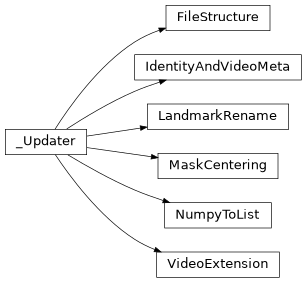
Class Inheritance Diagram