lib.model package
The Model Package handles interfacing with the neural network backend and holds custom objects.
losses package
lib.model.losses.feature_loss Module
Custom Feature Map Loss Functions for faceswap.py
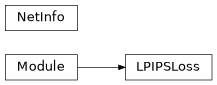
- class lib.model.losses.feature_loss.LPIPSLoss(trunk_network: Literal['alex', 'squeeze', 'vgg16'], trunk_pretrained: bool = True, trunk_eval_mode: bool = True, linear_pretrained: bool = True, linear_eval_mode: bool = True, linear_use_dropout: bool = True, lpips: bool = True, spatial_output: bool = True, normalize: bool = True, ret_per_layer: bool = False, crop: bool = False, color_order: Literal['bgr', 'rgb'] = 'bgr')
LPIPS Loss Function.
A perceptual loss function that uses linear outputs from pretrained CNNs feature layers.
Notes
Channels Last implementation. All trunks implemented from the original paper.
References
https://richzhang.github.io/PerceptualSimilarity/
- Parameters:
trunk_network (T.Literal['alex', 'squeeze', 'vgg16']) – The name of the trunk network to use. One of “alex”, “squeeze” or “vgg16”
trunk_pretrained (bool) –
TrueLoad the imagenet pretrained weights for the trunk network.Falserandomly initialize the trunk network. Default:Truetrunk_eval_mode (bool) –
Truefor running inference on the trunk network (standard mode),Falsefor training the trunk network. Default:Truelinear_pretrained (bool) –
Trueloads the pretrained weights for the linear network layers.Falserandomly initializes the layers. Default:Truelinear_eval_mode (bool) –
Truefor running inference on the linear network (standard mode),Falsefor training the linear network. Default:Truelinear_use_dropout (bool) –
Trueif a dropout layer should be used in the Linear network otherwiseFalse. Default:Truelpips (bool) –
Trueto use linear network on top of the trunk network.Falseto just average the output from the trunk network. DefaultTruespatial_output (bool) –
Trueoutput the loss in the spatial domain (i.e. as a grayscale tensor of height and width of the input image).Boolreduce the spatial dimensions for loss calculation. Default:Truenormalize (bool) –
Trueif the input Tensor needs to be normalized from the 0. to 1. range to the -1. to 1. range. Default:Trueret_per_layer (bool) –
Trueto return the loss value per feature output layer otherwiseFalse. Default:Falsecrop (bool) – Crop the zero-padded borders from the feature maps. Can help reduce moire pattern. Default:
Falsecolor_order (T.Literal['bgr', 'rgb']) – The RGB/BGR order of the input images
- forward(y_true: Tensor, y_pred: Tensor) Tensor | tuple[Tensor, list[Tensor]]
Perform the LPIPS Loss Function.
- Parameters:
y_true (Tensor) – The ground truth batch of images
y_pred (Tensor) – The predicted batch of images
- Return type:
The final loss value for each item in the batch
- class lib.model.losses.feature_loss.NetInfo(model_id: int = 0, model_name: str = '', net: Callable | None = None, outputs: list[str] | list[int] = <factory>, pad_amount: list[int] | int = 0)
Data class for holding information about Trunk and Linear Layer nets.
- Parameters:
model_id (int) – The model ID for the model stored in the deepfakes Model repo
model_name (str) – The filename of the decompressed model/weights file
net (Callable | None) – The net definition to load, if any. Default:
Noneoutputs (list[str] | list[int]) – For trunk networks the name of the output feature layers. For linear networks the number of input channels to each layer
pad_amount (list[int] | int) – For trunk networks, the amount of zero padding applied to each feature output
Classes
|
LPIPS Loss Function. |
|
Data class for holding information about Trunk and Linear Layer nets. |
Class Inheritance Diagram
lib.model.losses.loss Module
Custom Loss Functions for faceswap.py
- class lib.model.losses.loss.FocalFrequencyLoss(alpha: float = 1.0, patch_factor: int = 1, ave_spectrum: bool = False, log_matrix: bool = False, batch_matrix: bool = False, epsilon: float = 1e-06, spatial_output: bool = True)
Focal frequency Loss Function.
- Parameters:
alpha (float) – Scaling factor of the spectrum weight matrix for flexibility. Default:
1.0patch_factor (int) – Factor to crop image patches for patch-based focal frequency loss. Default:
1ave_spectrum (bool) –
Trueto use mini-batch average spectrum otherwiseFalse. Default:Falselog_matrix (bool) –
Trueto adjust the spectrum weight matrix by logarithm otherwiseFalse. Default:Falsebatch_matrix (bool) –
Trueto calculate the spectrum weight matrix using batch-based statistics otherwiseFalse. Default:Falseepsilon (float) – Small epsilon for safer weights scaling division. Default: 1e-6
spatial_output (bool) –
Trueto output the loss values spatially.Falseas scalar per item. Default:True
References
https://arxiv.org/pdf/2012.12821.pdf https://github.com/EndlessSora/focal-frequency-loss
- forward(y_true: Tensor, y_pred: Tensor) Tensor
Call the Focal Frequency Loss Function.
- Parameters:
y_true (Tensor) – The ground truth batch of images
y_pred (Tensor) – The predicted batch of images
- Return type:
The final loss value for each item in the batch
- class lib.model.losses.loss.GeneralizedLoss(alpha: float = 1.0, beta: float = 0.00392156862745098, spatial_output: bool = True)
Generalized function used to return a large variety of mathematical loss functions.
The primary benefit is a smooth, differentiable version of L1 loss.
References
Barron, J. A General and Adaptive Robust Loss Function - https://arxiv.org/pdf/1701.03077.pdf
Example
>>> a=1.0, x>>c , c=1.0/255.0  # will give a smoothly differentiable version of L1 / MAE loss
>>> a=1.999999 (limit as a->2), beta=1.0/255.0 # will give L2 / RMSE loss
- Parameters:
alpha (float) – Penalty factor. Larger number give larger weight to large deviations. Default: 1.0
beta (float) – Scale factor used to adjust to the input scale (i.e. inputs of mean 1e-4 or 256). Default: 1.0/255.0
spatial_output (bool) –
Trueto output the loss values spatially.Falseas scalar per item. Default:True
- forward(y_true: Tensor, y_pred: Tensor) Tensor
Call the Generalized Loss Function
- Parameters:
y_true (Tensor) – The ground truth value
y_pred (Tensor) – The predicted value
- Return type:
The final loss value for each item in the batch
- class lib.model.losses.loss.GradientLoss(spatial_output: bool = True)
Gradient Loss Function.
Calculates the first and second order gradient difference between pixels of an image in the x and y dimensions. These gradients are then compared between the ground truth and the predicted image and the difference is taken. When used as a loss, its minimization will result in predicted images approaching the same level of sharpness / blurriness as the ground truth.
- Parameters:
spatial_output (bool) –
Trueto output the loss values spatially.Falseas scalar per item. Default:True
References
TV+TV2 Regularization with Non-Convex Sparseness-Inducing Penalty for Image Restoration, Chengwu Lu & Hua Huang, 2014 - http://downloads.hindawi.com/journals/mpe/2014/790547.pdf
- forward(y_true: Tensor, y_pred: Tensor) Tensor
Call the gradient loss function.
- Parameters:
y_true (Tensor) – The ground truth value
y_pred (Tensor) – The predicted value
- Return type:
The final loss value for each item in the batch
- class lib.model.losses.loss.LInfNorm(*args: Any, **kwargs: Any)
Calculate the L-inf norm as a loss function.
- Parameters:
args (Any)
kwargs (Any)
- forward(y_true: Tensor, y_pred: Tensor) Tensor
Call the L-inf norm loss function.
- Parameters:
y_true (Tensor) – The ground truth value
y_pred (Tensor) – The predicted value
- Return type:
The final loss value for each item in the batch
- class lib.model.losses.loss.LaplacianPyramidLoss(max_levels: int = 5, gaussian_size: int = 5, gaussian_sigma: float = 1.0, spatial_output: bool = True)
Laplacian Pyramid Loss Function
Notes
Channels last implementation on square images only.
- Parameters:
max_levels (int) – The max number of laplacian pyramid levels to use. Default: 5
gaussian_size (int) – The size of the gaussian kernel. Default: 5
gaussian_sigma (float) – The gaussian sigma. Default: 2.0
device – The device to place the variables onto. Default: “cpu”
spatial_output (bool) –
Trueto output the loss values spatially.Falseas scalar per item. Default:True
References
https://arxiv.org/abs/1707.05776 https://github.com/nathanaelbosch/generative-latent-optimization/blob/master/utils.py
- forward(y_true: Tensor, y_pred: Tensor) Tensor
Calculate the Laplacian Pyramid Loss.
- Parameters:
y_true (Tensor) – The ground truth value
y_pred (Tensor) – The predicted value
- Return type:
The final loss value for each item in the batch
- class lib.model.losses.loss.LogCosh(spatial_output: bool = True)
Logarithm of the hyperbolic cosine of the prediction error. Ported from Keras implementation
- Parameters:
spatial_output (bool) –
Trueto output the loss values spatially.Falseas scalar per item. Default:True
- forward(y_true: Tensor, y_pred: Tensor) Tensor
Call the LogCosh loss function.
- Parameters:
y_true (Tensor) – The ground truth value
y_pred (Tensor) – The predicted value
- Return type:
The final loss value for each item in the batch
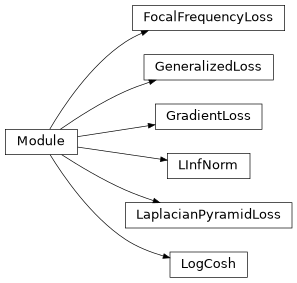
Classes
|
Focal frequency Loss Function. |
|
Generalized function used to return a large variety of mathematical loss functions. |
|
Gradient Loss Function. |
|
Calculate the L-inf norm as a loss function. |
|
Laplacian Pyramid Loss Function |
|
Logarithm of the hyperbolic cosine of the prediction error. |
Class Inheritance Diagram
lib.model.losses.perceptual_loss Module
Keras implementation of Perceptual Loss Functions for faceswap.py
- class lib.model.losses.perceptual_loss.GMSDLoss(spatial_output: bool = True)
Gradient Magnitude Similarity Deviation Loss.
Improved image quality metric over MS-SSIM with easier calculations
- Parameters:
spatial_output (bool) –
Trueto output the loss values spatially.Falseas scalar per item. Default:True
References
http://www4.comp.polyu.edu.hk/~cslzhang/IQA/GMSD/GMSD.htm https://arxiv.org/ftp/arxiv/papers/1308/1308.3052.pdf
- forward(y_true: Tensor, y_pred: Tensor) Tensor
Return the Gradient Magnitude Similarity Deviation Loss.
- Parameters:
y_true (Tensor) – The ground truth value
y_pred (Tensor) – The predicted value
- Return type:
The final loss value for each item in the batch
- class lib.model.losses.perceptual_loss.MSSIMLoss(max_val: float = 1.0, filter_size: int = 11, filter_sigma: float = 1.5, k1: float = 0.01, k2: float = 0.03, spatial_output: bool = True, power_factors: tuple[float, ...] = (0.0448, 0.2856, 0.3001, 0.2363, 0.1333))
Computes the MS-SSIM between img1 and img2.
This function assumes that img1 and img2 are image batches, i.e. the last three dimensions are [height, width, channels].
Note: The true SSIM is only defined on grayscale. This function does not perform any color-space transform. (If the input is already YUV, then it will compute YUV SSIM average.)
Original paper: Wang, Zhou, Eero P. Simoncelli, and Alan C. Bovik. “Multiscale structural similarity for image quality assessment.” Signals, Systems and Computers, 2004.
- Details:
11x11 Gaussian filter of width 1.5 is used.
k1 = 0.01, k2 = 0.03 as in the original paper.
The filter is reduced in size if the smallest image is smaller than 11x11.
- Parameters:
max_val (float) – The dynamic range of the images (i.e., the difference between the maximum the and minimum allowed values). Default 1.0 (0.0 - 1.0)
filter_size (int) – Size of gaussian filter. Default: 11
filter_sigma (float) – Width of gaussian filter. Default: 1.5
k1 (float) – The K1 value. Default: 0.01
k2 (float) – The K2 value. Default: 0.03 (SSIM is less sensitivity to K2 for lower values, so it would be better if we took the values in the range of 0 < K2 < 0.4).
spatial_output (bool) –
Trueto output the loss values spatially.Falseas scalar per item. Default:Truepower_factors (tuple[float, ...]) – Iterable of weights for each of the scales. The number of scales used is the length of the list. Index 0 is the unscaled resolution’s weight and each increasing scale corresponds to the image being downsampled by 2. Defaults to the values obtained in the original paper. Default: (0.0448, 0.2856, 0.3001, 0.2363, 0.1333)
Reference
---------
https (//github.com/tensorflow/tensorflow/blob/v2.16.1/tensorflow/python/ops/image_ops_impl.py)
- forward(y_true: Tensor, y_pred: Tensor) Tensor
Call the MS-SSIM Loss Function.
- Parameters:
y_true (Tensor) – The ground truth value
y_pred (Tensor) – The predicted value
- Return type:
The MS-SSIM Loss value
- class lib.model.losses.perceptual_loss.SSIMLoss(max_val: float = 1.0, filter_size: int = 11, filter_sigma: float = 1.5, k1: float = 0.01, k2: float = 0.03, spatial_output: bool = True)
Computes SSIM index between img1 and img2.
This function is based on the standard SSIM implementation from: Wang, Z., Bovik, A. C., Sheikh, H. R., & Simoncelli, E. P. (2004). Image quality assessment: from error visibility to structural similarity. IEEE transactions on image processing.
Note: The true SSIM is only defined on grayscale. This function does not perform any color-space transform. (If the input is already YUV, then it will compute YUV SSIM average.)
- Details:
11x11 Gaussian filter of width 1.5 is used.
k1 = 0.01, k2 = 0.03 as in the original paper.
The filter is reduced in size of the image is smaller than 11x11.
Reference
https://github.com/tensorflow/tensorflow/blob/v2.16.1/tensorflow/python/ops/image_ops_impl.py
- forward(y_true: Tensor, y_pred: Tensor) Tensor
Call the SSIM Loss Function.
- Parameters:
y_true (Tensor) – The input batch of ground truth images
y_pred (Tensor) – The input batch of predicted images
- Return type:
The final SSIM for each item in the batch
- Parameters:
max_val (float)
filter_size (int)
filter_sigma (float)
k1 (float)
k2 (float)
spatial_output (bool)
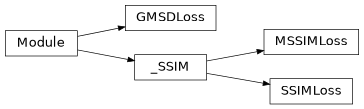
Classes
|
Gradient Magnitude Similarity Deviation Loss. |
|
Computes the MS-SSIM between img1 and img2. |
|
Computes SSIM index between img1 and img2. |
Class Inheritance Diagram
networks package
lib.model.networks.clip Module
CLIP: https://github.com/openai/CLIP. This implementation only ports the visual transformer part of the model.
- class lib.model.networks.clip.AttentionPool2d(spatial_dim: int, embed_dim: int, num_heads: int, output_dim: int | None = None, name='AttentionPool2d')
An Attention Pooling layer that applies a multi-head self-attention mechanism over a spatial grid of features.
- Parameters:
spatial_dim (int) – The dimensionality of the spatial grid of features.
embed_dim (int) – The dimensionality of the feature embeddings.
num_heads (int) – The number of attention heads.
output_dim (int) – The output dimensionality of the attention layer. If None, it defaults to embed_dim.
name (str) – The name of the layer.
- __call__(inputs: KerasTensor) KerasTensor
Performs the attention pooling operation on the input tensor.
- Parameters:
inputs (
keras.KerasTensor:) – The input tensor of shape [batch_size, height, width, embed_dim].- Return type:
keras.KerasTensor:: The result of the attention pooling operation
- class lib.model.networks.clip.Bottleneck(inplanes: int, planes: int, stride: int = 1, name: str = 'bottleneck')
A ResNet bottleneck block that performs a sequence of convolutions, batch normalization, and ReLU activation operations on an input tensor.
- Parameters:
inplanes (int) – The number of input channels.
planes (int) – The number of output channels.
stride (int, optional) – The stride of the bottleneck block. Default: 1
name (str, optional) – The name of the bottleneck block. Default: “bottleneck”
- __call__(inputs: KerasTensor) KerasTensor
Performs the forward pass for a Bottleneck block.
All conv layers have stride 1. an avgpool is performed after the second convolution when stride > 1
- Parameters:
inputs (
keras.KerasTensor) – The input tensor to the Bottleneck block.- Returns:
The result of the forward pass through the Bottleneck block.
- Return type:
keras.KerasTensor
- expansion = 4
The factor by which the number of input channels is expanded to get the number of output channels.
- Type:
int
- class lib.model.networks.clip.ClassEmbedding(*args, **kwargs)
Trainable Class Embedding layer
- Parameters:
input_shape (tuple[int, ...])
scale (int)
name (str)
- call(inputs: KerasTensor, *args, **kwargs) KerasTensor
Get the Class Embedding layer
- Parameters:
inputs (
keras.KerasTensor) – Input tensor to the embedding layer- Returns:
The class embedding layer shaped for the input tensor
- Return type:
keras.KerasTensor
- class lib.model.networks.clip.EmbeddingLayer(*args, **kwargs)
Parent class for trainable embedding variables
- Parameters:
input_shape (tuple[int, ...]) – The shape of the variable
scale (int) – Amount to scale the random initialization by
name (str) – The name of the layer
dtype (str, optional) – The datatype for the layer. Mixed precision can mess up the embeddings. Default: “float32”
- build(input_shape: tuple[int, ...]) None
Add the weights
- Parameters:
input_shape (tuple[int, ...) – The input shape of the incoming tensor
- Return type:
None
- get_config() dict[str, Any]
Get the config dictionary for the layer
- Returns:
The config dictionary for the layer
- Return type:
dict[str, Any]
- class lib.model.networks.clip.ModifiedResNet(input_resolution: int, width: int, layer_config: tuple[int, int, int, int], output_dim: int, heads: int, name='ModifiedResNet')
A ResNet class that is similar to torchvision’s but contains the following changes:
There are now 3 “stem” convolutions as opposed to 1, with an average pool instead of a max pool.
Performs anti-aliasing strided convolutions, where an avgpool is prepended to convolutions with stride > 1
The final pooling layer is a QKV attention instead of an average pool
- Parameters:
input_resolution (int) – The input resolution of the model. Default is 224.
width (int) – The width of the model. Default is 64.
layer_config (list) – A list containing the number of Bottleneck blocks for each layer.
output_dim (int) – The output dimension of the model.
heads (int) – The number of heads for the QKV attention.
name (str) – The name of the model. Default is “ModifiedResNet”.
- __call__() Model
Implements the forward pass of the ModifiedResNet model.
- Returns:
The modified resnet model.
- Return type:
keras.models.Model
- class lib.model.networks.clip.PositionalEmbedding(*args, **kwargs)
Trainable Positional Embedding layer
- Parameters:
input_shape (tuple[int, ...])
scale (int)
name (str)
- call(inputs: KerasTensor, *args, **kwargs) KerasTensor
Get the Positional Embedding layer
- Parameters:
inputs (
keras.KerasTensor) – Input tensor to the embedding layer- Returns:
The positional embedding layer shaped for the input tensor
- Return type:
keras.KerasTensor
- class lib.model.networks.clip.Projection(*args, **kwargs)
Trainable Projection Embedding Layer
- Parameters:
input_shape (tuple[int, ...])
scale (int)
name (str)
- call(inputs: KerasTensor, *args, **kwargs) KerasTensor
Get the Projection layer
- Parameters:
inputs (
keras.KerasTensor) – Input tensor to the embedding layer- Returns:
The Projection layer expanded to the batch dimension and transposed for matmul
- Return type:
keras.KerasTensor
- class lib.model.networks.clip.Transformer(width: int, num_layers: int, heads: int, attn_mask: KerasTensor = None, name: str = 'transformer')
A class representing a Transformer model with attention mechanism and residual connections.
- Parameters:
width (int) – The dimension of the input and output vectors.
num_layers (int) – The number of layers in the Transformer.
heads (int) – The number of attention heads.
attn_mask (
keras.KerasTensor, optional) – The attention mask, by default None.name (str, optional) – The name of the Transformer model, by default “transformer”.
- __call__() :class:`keras.models.Model`:
Calls the Transformer layers.
- Parameters:
inputs (KerasTensor)
- Return type:
KerasTensor
- __call__(inputs: KerasTensor) KerasTensor
Call the Transformer layers
- Parameters:
inputs (
keras.KerasTensor) – The input Tensor- Returns:
The return Tensor
- Return type:
keras.KerasTensor
- residual_attention_block(inputs: KerasTensor, key_dim: int, num_heads: int, attn_mask: KerasTensor, name: str = 'ResidualAttentionBlock') KerasTensor
Call the residual attention block
- Parameters:
inputs (
keras.KerasTensor) – The input Tensorkey_dim (int) – key dimension per head for MultiHeadAttention
num_heads (int) – Number of heads for MultiHeadAttention
attn_mask (
keras.KerasTensor, optional) – Default:Nonename (str, optional) – The name for the layer. Default: “ResidualAttentionBlock”
- Returns:
The return Tensor
- Return type:
keras.KerasTensor
- class lib.model.networks.clip.ViT(name: Literal['RN50', 'RN101', 'RN50x4', 'RN50x16', 'RN50x64', 'ViT-B-16', 'ViT-B-32', 'ViT-L-14', 'ViT-L-14-336px', 'FaRL-B-16-16', 'FaRL-B-16-64'], input_size: int | None = None, load_weights: bool = False)
Visiual Transform from CLIP
A Convolutional Language-Image Pre-Training (CLIP) model that encodes images and text into a shared latent space.
Reference
https://arxiv.org/abs/2103.00020
- param name:
“ViT-B-16”, “ViT-L-14”, “ViT-L-14-336px”, “FaRL-B_16-64”] The model configuration to use
- type name:
[“RN50”, “RN101”, “RN50x4”, “RN50x16”, “RN50x64”, “ViT-B-32”,
- param input_size:
The required resolution size for the model.
Nonefor default preset size- type input_size:
int, optional
- param load_weights:
Trueto load pretrained weights. Default:False- type load_weights:
bool, optional
- __call__() Model
Get the configured ViT model
- Returns:
The requested Visual Transformer model
- Return type:
keras.models.Model
- Parameters:
name (TypeModels)
input_size (int | None)
load_weights (bool)
- class lib.model.networks.clip.ViTConfig(embed_dim: int, resolution: int, layer_conf: int | tuple[int, int, int, int], width: int, patch: int, git_id: int = 0)
Configuration settings for ViT
- Parameters:
embed_dim (int) – Dimensionality of the final shared embedding space
resolution (int) – Spatial resolution of the input images
layer_conf (tuple[int, int, int, int] | int) – Number of layers in the visual encoder, or a tuple of layer configurations for a custom ResNet visual encoder
width (int) – Width of the visual encoder layers
patch (int) – Size of the patches to be extracted from the images. Only used for Visual encoder.
git_id (int, optional) – The id of the model weights file stored in deepfakes_models repo if they exist. Default: 0
- class lib.model.networks.clip.VisualTransformer(input_resolution: int, patch_size: int, width: int, num_layers: int, heads: int, output_dim: int, name: str = 'VisualTransformer')
A class representing a Visual Transformer model for image classification tasks.
- Parameters:
input_resolution (int) – The input resolution of the images.
patch_size (int) – The size of the patches to be extracted from the images.
width (int) – The dimension of the input and output vectors.
num_layers (int) – The number of layers in the Transformer.
heads (int) – The number of attention heads.
output_dim (int) – The dimension of the output vector.
name (str, optional) – The name of the Visual Transformer model, Default: “VisualTransformer”.
- __call__() :class:`keras.models.Model`:
Builds and returns the Visual Transformer model.
- Return type:
Model
- __call__() Model
Builds and returns the Visual Transformer model.
- Returns:
The Visual Transformer model.
- Return type:
keras.models.Model
Classes
|
An Attention Pooling layer that applies a multi-head self-attention mechanism over a spatial grid of features. |
|
A ResNet bottleneck block that performs a sequence of convolutions, batch normalization, and ReLU activation operations on an input tensor. |
|
Trainable Class Embedding layer |
|
Parent class for trainable embedding variables |
|
A ResNet class that is similar to torchvision's but contains the following changes: |
|
Trainable Positional Embedding layer |
|
Trainable Projection Embedding Layer |
|
A class representing a Transformer model with attention mechanism and residual connections. |
|
Visiual Transform from CLIP |
|
Configuration settings for ViT |
|
A class representing a Visual Transformer model for image classification tasks. |
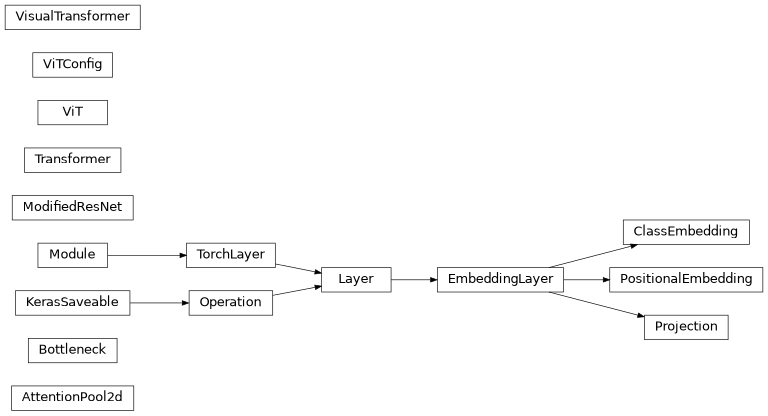
Class Inheritance Diagram
lib.model.networks.insightface_resnet Module
InsightFace ResNet (IR) and InsightFace ResNet Squeeze + Excite (IRSE) for inference
From: https://github.com/deepinsight/insightface and https://github.com/HuangYG123/CurricularFace
Released under MIT License
- class lib.model.networks.insightface_resnet.BasicBlockIR(in_channels: int, depth: int, stride: int, use_se: bool)
A Basic Block for InsightFace ResNet
- Parameters:
in_channels (int) – The number of input channels to the layer
depth (int) – The depth of the layer
stride (int) – The Convolution stride
use_se (bool) –
Trueto add squeeze and excite layer
- forward(inputs: Tensor) Tensor
Forward pass through the IRNet basic block
- Parameters:
inputs (Tensor) – The input to the IRNet Block
- Return type:
The output from the IRNet Block
- class lib.model.networks.insightface_resnet.BottleneckIR(in_channels: int, depth: int, stride: int, use_se: bool)
Bottleneck for IRNet
- Parameters:
in_channels (int) – The number of input channels to the layer
depth (int) – The depth of the layer
stride (int) – The Convolution stride
use_se (bool) –
Trueto add squeeze and excite layer
- forward(inputs: Tensor) Tensor
Forward pass through the IRNet Bottleneck
- Parameters:
inputs (Tensor) – The input to the IRNet Bottleneck
- Return type:
The output from the IRNet Bottleneck
- class lib.model.networks.insightface_resnet.Flatten(*args: Any, **kwargs: Any)
Flatten layer for IRNet
- Parameters:
args (Any)
kwargs (Any)
- forward(inputs: Tensor) Tensor
Flatten the inbound layer
- Parameters:
inputs (Tensor) – The input layer to be flattened
- Return type:
The flattened input layer
- class lib.model.networks.insightface_resnet.IRNet(input_size: Literal[112, 224], block_filters: tuple[int, int, int, int], block_recursions: tuple[int, int, int, int], num_features: int = 512, use_se: bool = False, use_bottleneck: bool = False)
Implementation if InsightFace ResNet with Squeeze + Excite support
- Parameters:
input_size (Literal[112, 224]) – The input size to the model. Must be 112 or 224
block_filters (tuple[int, int, int, int]) – The number of in_channels to each block layer for each pass
block_recursions (tuple[int, int, int, int]) – The number of recursions within each block
num_features (int) – The number of num_features to output. Default: 512
use_se (bool) –
Trueto use Squeeze and Excite.Falseto use standard IR ResNet. Default:Falseuse_bottleneck (bool) –
Trueto use the Bottleneck block.Falseto use the Basic block. Default:False
- forward(inputs: Tensor) Tensor
Forward pass through IRNet
- Parameters:
inputs (Tensor) – The input to IRNet
- Return type:
The output from IRNet
- class lib.model.networks.insightface_resnet.SEModule(in_channels: int, reduction: int)
Squeeze and Excite Block for IRNet
- Parameters:
in_channels (int) – The number of input channels
reduction (int) – The reduction factor for squeeze and excite
- forward(inputs: Tensor) Tensor
Forward pass through the IRNet Squeeze and Excite Block
- Parameters:
inputs (Tensor)
- Return type:
Tensor
- lib.model.networks.insightface_resnet.ir_101(input_size: Literal[112, 224]) IRNet
Obtain an IRNet-101 model
- Parameters:
input_size (Literal[112, 224]) – The input size to the model
- Return type:
- lib.model.networks.insightface_resnet.ir_152(input_size: Literal[112, 224]) IRNet
Obtain an IRNet-152 model
- Parameters:
input_size (Literal[112, 224]) – The input size to the model
- Return type:
- lib.model.networks.insightface_resnet.ir_18(input_size: Literal[112, 224])
Obtain an IRNet-18 model
- Parameters:
input_size (Literal[112, 224]) – The input size to the model
- lib.model.networks.insightface_resnet.ir_200(input_size: Literal[112, 224]) IRNet
Obtain an IRNet-200 model
- Parameters:
input_size (Literal[112, 224]) – The input size to the model
- Return type:
- lib.model.networks.insightface_resnet.ir_34(input_size: Literal[112, 224]) IRNet
Obtain an IRNet-34 model
- Parameters:
input_size (Literal[112, 224]) – The input size to the model
- Return type:
- lib.model.networks.insightface_resnet.ir_50(input_size: Literal[112, 224]) IRNet
Obtain an IRNet-50 model
- Parameters:
input_size (Literal[112, 224]) – The input size to the model
- Return type:
- lib.model.networks.insightface_resnet.ir_se_101(input_size: Literal[112, 224]) IRNet
Obtain an IRNetSE101 model
- Parameters:
input_size (Literal[112, 224]) – The input size to the model
- Return type:
- lib.model.networks.insightface_resnet.ir_se_152(input_size: Literal[112, 224]) IRNet
Obtain an IRNetSE152 model
- Parameters:
input_size (Literal[112, 224]) – The input size to the model
- Return type:
- lib.model.networks.insightface_resnet.ir_se_200(input_size: Literal[112, 224]) IRNet
Obtain an IRNetSE200 model
- Parameters:
input_size (Literal[112, 224]) – The input size to the model
- Return type:
- lib.model.networks.insightface_resnet.ir_se_50(input_size: Literal[112, 224]) IRNet
Obtain an IRNetSE50 model
- Parameters:
input_size (Literal[112, 224]) – The input size to the model
- Return type:
Functions
|
Obtain an IRNet-101 model |
|
Obtain an IRNet-152 model |
|
Obtain an IRNet-18 model |
|
Obtain an IRNet-200 model |
|
Obtain an IRNet-34 model |
|
Obtain an IRNet-50 model |
|
Obtain an IRNetSE101 model |
|
Obtain an IRNetSE152 model |
|
Obtain an IRNetSE200 model |
|
Obtain an IRNetSE50 model |
Classes
|
A Basic Block for InsightFace ResNet |
|
Bottleneck for IRNet |
|
Flatten layer for IRNet |
|
Implementation if InsightFace ResNet with Squeeze + Excite support |
|
Squeeze and Excite Block for IRNet |
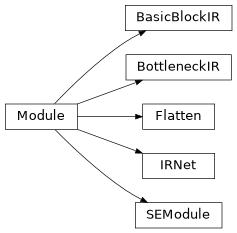
Class Inheritance Diagram
optimizers package
lib.model.optimizers.adabelief Module
AdaBelief optimizer for Torch
- class lib.model.optimizers.adabelief.AdaBelief(params: Iterable, lr: float = 0.001, betas: tuple[float, float] = (0.9, 0.999), eps: float = 1e-16, weight_decay: float = 0.0, amsgrad: bool = False, weight_decouple: bool = True, fixed_decay: bool = False, rectify: bool = True, degenerated_to_sgd: bool = True)
Implements AdaBelief algorithm. Modified from Adam in PyTorch
- Parameters:
params (Iterable) – Iterable of parameters to optimize or dicts defining parameter groups
lr (float) – Learning rate. Default: 1e-3
betas (tuple[float, float]) – Coefficients used for computing running averages of gradient and its square. Default: (0.9, 0.999)
eps (float) – Term added to the denominator to improve numerical stability. Default: 1e-16
weight_decay (float) – Weight decay (L2 penalty). Default: 0
amsgrad (bool) – Whether to use the AMSGrad variant of this algorithm from the paper On the Convergence of Adam and Beyond. Default:
Falseweight_decouple (bool) – If set as True, then the optimizer uses decoupled weight decay as in AdamW. Default:
Truefixed_decay (bool) – This is used when weight_decouple is set as True. - When fixed_decay == True, the weight decay is performed as W_{new} = W_{old} - W_{old} * decay. - When fixed_decay == False, the weight decay is performed as W_{new} = W_{old} - W_{old} * decay * lr. Note that in this case, the weight decay ratio decreases with learning rate (lr). Default:
Falserectify (bool) – If set as True, then perform the rectified update similar to RAdam. Default:
Truedegenerated_to_sgd (bool) – If set as True, then perform SGD update when variance of gradient is high. Default:
TrueReference
---------
Optimizer (AdaBelief)
gradients (adapting step sizes by the belief in observed)
2020 (NeurIPS)
https (//github.com/juntang-zhuang/Adabelief-Optimizer)
- reset() None
Reset parameters
- Return type:
None
- step(closure: Callable | None = None) Tensor
Performs a single optimization step.
- Parameters:
closure (Callable | None) – A closure that reevaluates the model and returns the loss. Default:
None- Return type:
Tensor
Classes
|
Implements AdaBelief algorithm. |
Class Inheritance Diagram

lib.model.optimizers.lion Module
PyTorch implementation of the Lion optimizer.
- class lib.model.optimizers.lion.Lion(params: Iterable, lr: float = 0.0001, betas: tuple[float, float] = (0.9, 0.99), weight_decay: float = 0.0)
Lion optimizer from Google
- Parameters:
params (Iterable) – Iterable of parameters to optimize or dicts defining parameter groups
lr (float) – Learning rate. Default: 1e-4
betas (tuple[float, float]) – Coefficients used for computing running averages of gradient and its square. Default: (0.9, 0.99)
weight_decay (float) – Weight decay coefficient. Default: 0
Reference
---------
https (//github.com/google/automl/blob/master/lion/lion_pytorch.py)
- step(closure: Callable | None = None) Tensor
Performs a single optimization step.
- Parameters:
closure (Callable | None) – A closure that reevaluates the model and returns the loss.
- Return type:
The loss
Classes
|
Lion optimizer from Google |
Class Inheritance Diagram

lib.model.optimizers.keras_legacy Module
Legacy keras Optimizers for weight migration
- class lib.model.optimizers.keras_legacy.AdaBelief(*args, **kwargs)
Implementation of the AdaBelief Optimizer
Inherits from: keras.optimizers.Optimizer.
AdaBelief Optimizer is not a placement of the heuristic warmup, the settings should be kept if warmup has already been employed and tuned in the baseline method. You can enable warmup by setting total_steps and warmup_proportion (see examples)
Lookahead (see references) can be integrated with AdaBelief Optimizer, which is announced by Less Wright and the new combined optimizer can also be called “Ranger”. The mechanism can be enabled by using the lookahead wrapper. (See examples)
- Parameters:
learning_rate (float) – The learning rate.
beta_1 (float) – The exponential decay rate for the 1st moment estimates.
beta_2 (float) – The exponential decay rate for the 2nd moment estimates.
epsilon (float) – A small constant for numerical stability.
amsgrad (bool) – Whether to apply AMSGrad variant of this algorithm from the paper “On the Convergence of Adam and beyond”.
rectify (bool) – Whether to enable rectification as in RectifiedAdam
sma_threshold (float) – The threshold for simple mean average.
total_steps (int) – Total number of training steps. Enable warmup by setting a positive value.
warmup_proportion (float) – The proportion of increasing steps.
min_lr – Minimum learning rate after warmup.
name – Name for the operations created when applying gradients. Default:
"AdaBeliefOptimizer".**kwargs – Standard Keras Optimizer keyword arguments. Allowed to be (weight_decay, clipnorm, clipvalue, global_clipnorm, use_ema, ema_momentum, ema_overwrite_frequency, loss_scale_factor, gradient_accumulation_steps)
min_learning_rate (float)
Examples
>>> from optimizers import AdaBelief
>>> opt = AdaBelief(lr=1e-3)
Example of serialization:
>>> optimizer = AdaBelief(learning_rate=lr_scheduler, weight_decay=wd_scheduler)
>>> config = keras.optimizers.serialize(optimizer)
>>> new_optimizer = keras.optimizers.deserialize(config,
...                                                 custom_objects=dict(AdaBelief=AdaBelief))
Example of warm up:
>>> opt = AdaBelief(lr=1e-3, total_steps=10000, warmup_proportion=0.1, min_lr=1e-5)
In the above example, the learning rate will increase linearly from 0 to lr in 1000 steps, then decrease linearly from lr to min_lr in 9000 steps.
Example of enabling Lookahead:
>>> adabelief = AdaBelief()
>>> ranger = tfa.optimizers.Lookahead(adabelief, sync_period=6, slow_step_size=0.5)
Notes
amsgrad is not described in the original paper. Use it with caution.
References
Juntang Zhuang et al. - AdaBelief Optimizer: Adapting step sizes by the belief in observed gradients - https://arxiv.org/abs/2010.07468.
Original implementation - https://github.com/juntang-zhuang/Adabelief-Optimizer
Michael R. Zhang et.al - Lookahead Optimizer: k steps forward, 1 step back - https://arxiv.org/abs/1907.08610v1
Adapted from https://github.com/juntang-zhuang/Adabelief-Optimizer
BSD 2-Clause License
Copyright (c) 2021, Juntang Zhuang All rights reserved.
Redistribution and use in source and binary forms, with or without modification, are permitted provided that the following conditions are met:
1. Redistributions of source code must retain the above copyright notice, this list of conditions and the following disclaimer.
2. Redistributions in binary form must reproduce the above copyright notice, this list of conditions and the following disclaimer in the documentation and/or other materials provided with the distribution.
THIS SOFTWARE IS PROVIDED BY THE COPYRIGHT HOLDERS AND CONTRIBUTORS “AS IS” AND ANY EXPRESS OR IMPLIED WARRANTIES, INCLUDING, BUT NOT LIMITED TO, THE IMPLIED WARRANTIES OF MERCHANTABILITY AND FITNESS FOR A PARTICULAR PURPOSE ARE DISCLAIMED. IN NO EVENT SHALL THE COPYRIGHT HOLDER OR CONTRIBUTORS BE LIABLE FOR ANY DIRECT, INDIRECT, INCIDENTAL, SPECIAL, EXEMPLARY, OR CONSEQUENTIAL DAMAGES (INCLUDING, BUT NOT LIMITED TO, PROCUREMENT OF SUBSTITUTE GOODS OR SERVICES; LOSS OF USE, DATA, OR PROFITS; OR BUSINESS INTERRUPTION) HOWEVER CAUSED AND ON ANY THEORY OF LIABILITY, WHETHER IN CONTRACT, STRICT LIABILITY, OR TORT (INCLUDING NEGLIGENCE OR OTHERWISE) ARISING IN ANY WAY OUT OF THE USE OF THIS SOFTWARE, EVEN IF ADVISED OF THE POSSIBILITY OF SUCH DAMAGE.
- build(variables: list[Variable]) None
Initialize optimizer variables.
AdaBelief optimizer has 3 types of variables: momentums, velocities and velocity_hat (only set when amsgrad is applied),
- Parameters:
variables (list[Variable]) – list of model variables to build AdaBelief variables on.
- Return type:
None
- get_config() dict[str, Any]
Returns the config of the optimizer.
Optimizer configuration for AdaBelief.
- Returns:
The optimizer configuration.
- Return type:
dict[str, Any]
- update_step(gradient: Tensor, variable: Variable, learning_rate: Tensor) None
Update step given gradient and the associated model variable for AdaBelief.
- Parameters:
gradient (Tensor) – The gradient to update
variable (Variable) – The variable to update
learning_rate (Tensor) – The learning rate
- Return type:
None
Classes
|
Implementation of the AdaBelief Optimizer |
Class Inheritance Diagram

model package
lib.model.autoclip Module
Auto clipper for clipping gradients.
- class lib.model.autoclip.AutoClipper(clip_percentile: int, history_size: int = 10000)
AutoClip: Adaptive Gradient Clipping for Source Separation Networks
- Parameters:
clip_percentile (int) – The percentile to clip the gradients at
history_size (int) – The number of iterations of data to use to calculate the norm Default:
10000
References
Adapted from: https://github.com/pseeth/autoclip original paper: https://arxiv.org/abs/2007.14469
- __call__(parameters: list[Parameter], *args) None
Call the AutoClip function.
- Parameters:
parameters (list[Parameter]) – The parameters to clip
args – Unused but for compatibility
- Return type:
None
Classes
|
AutoClip: Adaptive Gradient Clipping for Source Separation Networks |
lib.model.backup_restore Module
Functions for backing up, restoring and creating model snapshots.
- class lib.model.backup_restore.Backup(model_dir: str, model_name: str)
Performs the back up of models at each save iteration, and the restoring of models from their back up location.
- Parameters:
model_dir (str) – The folder that contains the model to be backed up
model_name (str) – The name of the model that is to be backed up
- static backup_model(full_path: str) None
Backup a model file.
The backed up file is saved with the original filename in the original location with .bk appended to the end of the name.
- Parameters:
full_path (str) – The full path to a .keras model file or a .json state file
- Return type:
None
- restore() None
Restores a model from backup.
The original model files are migrated into a folder within the original model folder named <model_name>_archived_<timestamp>. The .bk backup files are then moved to the location of the previously existing model files. Logs that were generated after the the last backup was taken are removed.
- Return type:
None
- snapshot_models(iterations: int) None
Take a snapshot of the model at the current state and back it up.
The snapshot is a copy of the model folder located in the same root location as the original model file, with the number of iterations appended to the end of the folder name.
- Parameters:
iterations (int) – The number of iterations that the model has trained when performing the snapshot.
- Return type:
None
Classes
|
Performs the back up of models at each save iteration, and the restoring of models from their back up location. |
lib.model.initializers Module
Custom Initializers for faceswap.py
- class lib.model.initializers.ConvolutionAware(eps_std: float = 0.05, seed: int | None = None, initialized: bool = False)
Initializer that generates orthogonal convolution filters in the Fourier space. If this initializer is passed a shape that is not 3D or 4D, orthogonal initialization will be used.
Adapted, fixed and optimized from: https://github.com/keras-team/keras-contrib/blob/master/keras_contrib/initializers/convaware.py
- Parameters:
eps_std (float) – The Standard deviation for the random normal noise used to break symmetry in the inverse Fourier transform. Default: 0.05
seed (int | None) – Used to seed the random generator. Default:
Noneinitialized (bool) – This should always be set to
False. To avoid Keras re-calculating the values every time the model is loaded, this parameter is internally set on first time initialization. Default:False
- Return type:
The modified kernel weights
References
Armen Aghajanyan, https://arxiv.org/abs/1702.06295
- __call__(shape: list[int] | tuple[int, ...], dtype: str | None = None) Tensor
Call function for the ICNR initializer.
- Parameters:
shape (list[int] | tuple[int, ...]) – The required shape for the output tensor
dtype (str | None) – The data type for the tensor
- Return type:
The modified kernel weights
- get_config() dict[str, Any]
Return the Convolutional Aware Initializer configuration.
- Return type:
The configuration for Convolutional Aware Initialization
- class lib.model.initializers.ICNR(initializer: dict[str, Any] | Initializer, scale: int = 2)
ICNR initializer for checkerboard artifact free sub pixel convolution
- Parameters:
initializer (dict[str, T.Any] | initializers.Initializer) – The initializer used for sub kernels (orthogonal, glorot uniform, etc.)
scale (int) – scaling factor of sub pixel convolution (up sampling from 8x8 to 16x16 is scale 2). Default: 2
- Return type:
The modified kernel weights
Example
>>> x = conv2d(... weights_initializer=ICNR(initializer=he_uniform(), scale=2))
References
Andrew Aitken et al. Checkerboard artifact free sub-pixel convolution https://arxiv.org/pdf/1707.02937.pdf, https://distill.pub/2016/deconv-checkerboard/ https://gist.github.com/A03ki/2305398458cb8e2155e8e81333f0a965
- __call__(shape: list[int] | tuple[int, ...], dtype: str | None = 'float32') Tensor
Returns a tensor object initialized as specified by the initializer.
- Parameters:
shape (list[int] | tuple[int, ...]) – Shape of the tensor.
dtype (str | None) – Optional dtype of the tensor.
- Return type:
Tensor
- get_config() dict[str, Any]
Return the ICNR Initializer configuration.
- Return type:
The configuration for ICNR Initialization
Classes
|
Initializer that generates orthogonal convolution filters in the Fourier space. |
|
ICNR initializer for checkerboard artifact free sub pixel convolution |
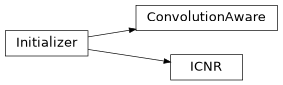
Class Inheritance Diagram
lib.model.layers Module
Custom Layers for faceswap.py.
- class lib.model.layers.GlobalMinPooling2D(*args, **kwargs)
Global minimum pooling operation for spatial data.
- Parameters:
data_format (str | None)
- call(inputs: KerasTensor, *args, **kwargs) KerasTensor
This is where the layer’s logic lives.
- Parameters:
inputs (
keras.KerasTensor) – Input tensor, or list/tuple of input tensors- Returns:
A tensor or list/tuple of tensors
- Return type:
keras.KerasTensor
- class lib.model.layers.GlobalStdDevPooling2D(*args, **kwargs)
Global standard deviation pooling operation for spatial data.
- Parameters:
data_format (str | None)
- call(inputs: KerasTensor, *args, **kwargs) KerasTensor
This is where the layer’s logic lives.
- Parameters:
inputs (
keras.KerasTensor) – Input tensor, or list/tuple of input tensors- Returns:
A tensor or list/tuple of tensors
- Return type:
keras.KerasTensor
- class lib.model.layers.KResizeImages(*args, **kwargs)
A custom upscale function that uses
keras.backend.resize_imagesto upsample.- Parameters:
size (int or float, optional) – The scale to upsample to. Default: 2
interpolation (["nearest", "bilinear"], optional) – The interpolation to use. Default: “nearest”
kwargs (dict) – The standard Keras Layer keyword arguments (if any)
- call(inputs: KerasTensor, *args, **kwargs) KerasTensor
Call the upsample layer
- Parameters:
inputs (
keras.KerasTensor) – Input tensor, or list/tuple of input tensors- Returns:
A tensor or list/tuple of tensors
- Return type:
keras.KerasTensor
- compute_output_shape(input_shape: tuple[int, ...]) tuple[int, ...]
Computes the output shape of the layer.
This is the input shape with size dimensions multiplied by
size- Parameters:
input_shape (tuple or list of tuples) – Shape tuple (tuple of integers) or list of shape tuples (one per output tensor of the layer). Shape tuples can include None for free dimensions, instead of an integer.
- Returns:
An input shape tuple
- Return type:
tuple
- get_config() dict[str, Any]
Returns the config of the layer.
- Returns:
A python dictionary containing the layer configuration
- Return type:
dict
- class lib.model.layers.L2Normalize(*args, **kwargs)
Normalizes a tensor w.r.t. the L2 norm alongside the specified axis.
- Parameters:
axis (int) – The axis to perform normalization across
kwargs (dict) – The standard Keras Layer keyword arguments (if any)
- call(inputs: KerasTensor, *args, **kwargs) KerasTensor
This is where the layer’s logic lives.
- Parameters:
inputs (
keras.KerasTensor) – Input tensor, or list/tuple of input tensors- Returns:
A tensor or list/tuple of tensors
- Return type:
keras.KerasTensor
- compute_output_shape(input_shape: tuple[int, ...]) tuple[int, ...]
Compute the output shape based on the input shape.
- Parameters:
input_shape (tuple) – The input shape to the layer
- Return type:
tuple[int, …]
- get_config() dict[str, Any]
Returns the config of the layer.
A layer config is a Python dictionary (serializable) containing the configuration of a layer. The same layer can be reinstated later (without its trained weights) from this configuration.
The configuration of a layer does not include connectivity information, nor the layer class name. These are handled by Network (one layer of abstraction above).
- Returns:
A python dictionary containing the layer configuration
- Return type:
dict
- class lib.model.layers.PixelShuffler(*args, **kwargs)
PixelShuffler layer for Keras.
This layer requires a Convolution2D prior to it, having output filters computed according to the formula \(filters = k * (scale_factor * scale_factor)\) where k is a user defined number of filters (generally larger than 32) and scale_factor is the up-scaling factor (generally 2).
This layer performs the depth to space operation on the convolution filters, and returns a tensor with the size as defined below.
Notes
In practice, it is useful to have a second convolution layer after the
PixelShufflerlayer to speed up the learning process. However, if you are stacking multiplePixelShufflerblocks, it may increase the number of parameters greatly, so the Convolution layer afterPixelShufflerlayer can be removed.Example
>>> # A standard sub-pixel up-scaling block
>>> x = Convolution2D(256, 3, 3, padding="same", activation="relu")(...)
>>> u = PixelShuffler(size=(2, 2))(x)
[Optional]
>>> x = Convolution2D(256, 3, 3, padding="same", activation="relu")(u)
- Parameters:
size (tuple, optional) – The (h, w) scaling factor for up-scaling. Default: (2, 2)
data_format ([“channels_first”, “channels_last”,
None], optional) – The data format for the input. Default:Nonekwargs (dict) – The standard Keras Layer keyword arguments (if any)
References
https://gist.github.com/t-ae/6e1016cc188104d123676ccef3264981
- call(inputs: KerasTensor, *args, **kwargs) KerasTensor
This is where the layer’s logic lives.
- Parameters:
inputs (
keras.KerasTensor) – Input tensor, or list/tuple of input tensors- Returns:
A tensor or list/tuple of tensors
- Return type:
keras.KerasTensor
- compute_output_shape(input_shape: tuple[int | None, ...]) tuple[int | None, ...]
Computes the output shape of the layer.
Assumes that the layer will be built to match that input shape provided.
- Parameters:
input_shape (tuple or list of tuples) – Shape tuple (tuple of integers) or list of shape tuples (one per output tensor of the layer). Shape tuples can include None for free dimensions, instead of an integer.
- Returns:
An input shape tuple
- Return type:
tuple
- get_config() dict[str, Any]
Returns the config of the layer.
A layer config is a Python dictionary (serializable) containing the configuration of a layer. The same layer can be reinstated later (without its trained weights) from this configuration.
The configuration of a layer does not include connectivity information, nor the layer class name. These are handled by Network (one layer of abstraction above).
- Returns:
A python dictionary containing the layer configuration
- Return type:
dict
- class lib.model.layers.QuickGELU(*args, **kwargs)
Applies GELU approximation that is fast but somewhat inaccurate.
- Parameters:
name (str, optional) – The name for the layer. Default: “QuickGELU”
kwargs (dict) – The standard Keras Layer keyword arguments (if any)
- call(inputs: KerasTensor, *args, **kwargs) KerasTensor
Call the QuickGELU layer
- Parameters:
inputs (
keras.KerasTensor) – The input Tensor- Returns:
The output Tensor
- Return type:
keras.KerasTensor
- compute_output_shape(input_shape: tuple[int, ...]) tuple[int, ...]
Compute the output shape based on the input shape.
- Parameters:
input_shape (tuple) – The input shape to the layer
- Return type:
tuple[int, …]
- class lib.model.layers.ReflectionPadding2D(*args, **kwargs)
Reflection-padding layer for 2D input (e.g. picture).
This layer can add rows and columns at the top, bottom, left and right side of an image tensor.
- Parameters:
stride (int, optional) – The stride of the following convolution. Default: 2
kernel_size (int, optional) – The kernel size of the following convolution. Default: 5
kwargs (dict) – The standard Keras Layer keyword arguments (if any)
- build(input_shape: KerasTensor) None
Creates the layer weights.
Must be implemented on all layers that have weights.
- Parameters:
input_shape (
keras.KerasTensor) – Keras tensor (future input to layer) orlist/tupleof Keras tensors to reference for weight shape computations.- Return type:
None
- call(inputs: KerasTensor, *args, **kwargs) KerasTensor
This is where the layer’s logic lives.
- Parameters:
inputs (
keras.KerasTensor) – Input tensor, or list/tuple of input tensors- Returns:
A tensor or list/tuple of tensors
- Return type:
keras.KerasTensor
- compute_output_shape(*args, **kwargs) tuple[int | None, ...]
Computes the output shape of the layer.
Assumes that the layer will be built to match that input shape provided.
- Returns:
An input shape tuple
- Return type:
tuple
- get_config() dict[str, Any]
Returns the config of the layer.
A layer config is a Python dictionary (serializable) containing the configuration of a layer. The same layer can be reinstated later (without its trained weights) from this configuration.
The configuration of a layer does not include connectivity information, nor the layer class name. These are handled by Network (one layer of abstraction above).
- Returns:
A python dictionary containing the layer configuration
- Return type:
dict
- class lib.model.layers.ScalarOp(*args, **kwargs)
A layer for scalar operations for migrating TFLambdaOps in Keras 2 models to Keras 3. This layer should not be used directly
- Parameters:
operation (Literal["multiply", "truediv", "add", "subtract"]) – The scalar operation to perform
value (float) – The scalar value to use
- call(inputs: KerasTensor, *args, **kwargs) KerasTensor
Call the Scalar operation function.
- Parameters:
inputs (tensor) – Input tensor, or list/tuple of input tensors
- Returns:
A tensor or list/tuple of tensors
- Return type:
keras.KerasTensor
- compute_output_shape(input_shape: tuple[int, ...]) tuple[int, ...]
Output shape is the same as the input shape.
- Parameters:
input_shape (tuple) – The input shape to the layer
- Return type:
tuple[int, …]
- get_config()
Returns the config of the layer. :returns: A python dictionary containing the layer configuration :rtype: dict
- class lib.model.layers.Swish(*args, **kwargs)
Swish Activation Layer implementation for Keras.
- Parameters:
beta (float, optional) – The beta value to apply to the activation function. Default: 1.0
kwargs (dict) – The standard Keras Layer keyword arguments (if any)
References
Swish: a Self-Gated Activation Function: https://arxiv.org/abs/1710.05941v1
- call(inputs: KerasTensor, *args, **kwargs) KerasTensor
Call the Swish Activation function.
- Parameters:
inputs (tensor) – Input tensor, or list/tuple of input tensors
- Returns:
A tensor or list/tuple of tensors
- Return type:
keras.KerasTensor
- compute_output_shape(input_shape: tuple[int, ...]) tuple[int, ...]
Compute the output shape based on the input shape.
- Parameters:
input_shape (tuple) – The input shape to the layer
- Return type:
tuple[int, …]
- get_config()
Returns the config of the layer.
Adds the
betato config.- Returns:
A python dictionary containing the layer configuration
- Return type:
dict
Classes
|
Global minimum pooling operation for spatial data. |
|
Global standard deviation pooling operation for spatial data. |
|
A custom upscale function that uses |
|
Normalizes a tensor w.r.t. |
|
PixelShuffler layer for Keras. |
|
Applies GELU approximation that is fast but somewhat inaccurate. |
|
Reflection-padding layer for 2D input (e.g. picture). |
|
A layer for scalar operations for migrating TFLambdaOps in Keras 2 models to Keras 3. |
|
Swish Activation Layer implementation for Keras. |
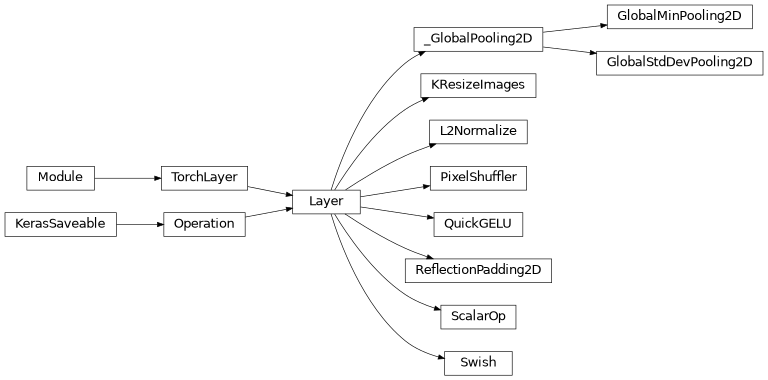
Class Inheritance Diagram
lib.model.nn_blocks Module
Neural Network Blocks for faceswap.py.
- class lib.model.nn_blocks.Conv2D(*args, padding: str = 'same', is_upscale: bool = False, **kwargs)
A standard Keras Convolution 2D layer with parameters updated to be more appropriate for Faceswap architecture.
Parameters are the same, with the same defaults, as a standard
keras.layers.Conv2Dexcept where listed below. The default initializer is updated to HeUniform or convolutional aware based on user configuration settings.- Parameters:
padding (str, optional) – One of “valid” or “same” (case-insensitive). Default: “same”. Note that “same” is slightly inconsistent across backends with strides != 1, as described here.
is_upscale (bool, optional) –
Trueif the convolution is being called from an upscale layer. This causes the instance to check the user configuration options to see if ICNR initialization has been selected and should be applied. This should only be passed in asTruefromUpscaleBlocklayers. Default:False
- __call__(*args, **kwargs) KerasTensor
Call the Conv2D layer
- Parameters:
args (tuple) – Standard Conv2D layer call arguments
kwargs (dict[str, Any]) – Standard Conv2D layer call keyword arguments
- Returns:
The Tensor from the Conv2D layer
- Return type:
class: keras.KerasTensor
- class lib.model.nn_blocks.Conv2DBlock(filters: int, kernel_size: int | tuple[int, int] = 5, strides: int | tuple[int, int] = 2, padding: str = 'same', normalization: str | None = None, activation: str | None = 'leakyrelu', use_depthwise: bool = False, relu_alpha: float = 0.1, **kwargs)
A standard Convolution 2D layer which applies user specified configuration to the layer.
Adds reflection padding if it has been selected by the user, and other post-processing if requested by the plugin.
Adds instance normalization if requested. Adds a LeakyReLU if a residual block follows.
- Parameters:
filters (int) – The dimensionality of the output space (i.e. the number of output filters in the convolution)
kernel_size (int, optional) – An integer or tuple/list of 2 integers, specifying the height and width of the 2D convolution window. Can be a single integer to specify the same value for all spatial dimensions. NB: If use_depthwise is
Truethen a value must still be provided here, but it will be ignored. Default: 5strides (tuple or int, optional) – An integer or tuple/list of 2 integers, specifying the strides of the convolution along the height and width. Can be a single integer to specify the same value for all spatial dimensions. Default: 2
padding (["valid", "same"], optional) – The padding to use. NB: If reflect padding has been selected in the user configuration options, then this argument will be ignored in favor of reflect padding. Default: “same”
normalization (str or
None, optional) – Normalization to apply after the Convolution Layer. Select one of “batch” or “instance”. Set toNoneto not apply normalization. Default:Noneactivation (str or
None, optional) – The activation function to use. This is applied at the end of the convolution block. Select one of “leakyrelu”, “prelu” or “swish”. Set toNoneto not apply an activation function. Default: “leakyrelu”use_depthwise (bool, optional) – Set to
Trueto use a Depthwise Convolution 2D layer rather than a standard Convolution 2D layer. Default:Falserelu_alpha (float) – The alpha to use for LeakyRelu Activation. Default=`0.1`
kwargs (dict) – Any additional Keras standard layer keyword arguments to pass to the Convolutional 2D layer
- __call__(inputs: KerasTensor) KerasTensor
Call the Faceswap Convolutional Layer.
- Parameters:
inputs (
keras.KerasTensor) – The input to the layer- Returns:
The output tensor from the Convolution 2D Layer
- Return type:
keras.KerasTensor
- class lib.model.nn_blocks.Conv2DOutput(filters: int, kernel_size: int | tuple[int], activation: str = 'sigmoid', padding: str = 'same', **kwargs)
A Convolution 2D layer that separates out the activation layer to explicitly set the data type on the activation to float 32 to fully support mixed precision training.
The Convolution 2D layer uses default parameters to be more appropriate for Faceswap architecture.
Parameters are the same, with the same defaults, as a standard
keras.layers.Conv2Dexcept where listed below. The default initializer is updated to HeUniform or convolutional aware based on user config settings.- Parameters:
filters (int) – The dimensionality of the output space (i.e. the number of output filters in the convolution)
kernel_size (int or tuple/list of 2 ints) – The height and width of the 2D convolution window. Can be a single integer to specify the same value for all spatial dimensions.
activation (str, optional) – The activation function to apply to the output. Default: “sigmoid”
padding (str, optional) –
One of “valid” or “same” (case-insensitive). Default: “same”. Note that “same” is slightly inconsistent across backends with strides != 1, as described here.
kwargs (dict) – Any additional Keras standard layer keyword arguments to pass to the Convolutional 2D layer
- __call__(inputs: KerasTensor) KerasTensor
Call the Faceswap Convolutional Output Layer.
- Parameters:
inputs (
keras.KerasTensor) – The input to the layer- Returns:
The output tensor from the Convolution 2D Layer
- Return type:
keras.KerasTensor
- class lib.model.nn_blocks.DepthwiseConv2D(*args, padding: str = 'same', is_upscale: bool = False, **kwargs)
A standard Keras Depthwise Convolution 2D layer with parameters updated to be more appropriate for Faceswap architecture.
Parameters are the same, with the same defaults, as a standard
keras.layers.DepthwiseConv2Dexcept where listed below. The default initializer is updated to HeUniform or convolutional aware based on user configuration settings.- Parameters:
padding (str, optional) –
One of “valid” or “same” (case-insensitive). Default: “same”. Note that “same” is slightly inconsistent across backends with strides != 1, as described here.
is_upscale (bool, optional) –
Trueif the convolution is being called from an upscale layer. This causes the instance to check the user configuration options to see if ICNR initialization has been selected and should be applied. This should only be passed in asTruefromUpscaleBlocklayers. Default:False
- __call__(*args, **kwargs) KerasTensor
Call the DepthwiseConv2D layer
- Parameters:
args (tuple) – Standard DepthwiseConv2D layer call arguments
kwargs (dict[str, Any]) – Standard DepthwiseConv2D layer call keyword arguments
- Returns:
The Tensor from the DepthwiseConv2D layer
- Return type:
class: keras.KerasTensor
- class lib.model.nn_blocks.ResidualBlock(filters: int, kernel_size: int | tuple[int, int] = 3, padding: str = 'same', **kwargs)
Residual block from dfaker.
- Parameters:
filters (int) – The dimensionality of the output space (i.e. the number of output filters in the convolution)
kernel_size (int, optional) – An integer or tuple/list of 2 integers, specifying the height and width of the 2D convolution window. Can be a single integer to specify the same value for all spatial dimensions. Default: 3
padding (["valid", "same"], optional) – The padding to use. Default: “same”
kwargs (dict) – Any additional Keras standard layer keyword arguments to pass to the Convolutional 2D layer
- Returns:
The output tensor from the Upscale layer
- Return type:
tensor
- __call__(inputs: KerasTensor) KerasTensor
Call the Faceswap Residual Block.
- Parameters:
inputs (
keras.KerasTensor) – The input to the layer- Returns:
The output tensor from the Upscale Layer
- Return type:
keras.KerasTensor
- class lib.model.nn_blocks.SeparableConv2DBlock(filters: int, kernel_size: int | tuple[int, int] = 5, strides: int | tuple[int, int] = 2, **kwargs)
Seperable Convolution Block.
- Parameters:
filters (int) – The dimensionality of the output space (i.e. the number of output filters in the convolution)
kernel_size (int, optional) – An integer or tuple/list of 2 integers, specifying the height and width of the 2D convolution window. Can be a single integer to specify the same value for all spatial dimensions. Default: 5
strides (tuple or int, optional) – An integer or tuple/list of 2 integers, specifying the strides of the convolution along the height and width. Can be a single integer to specify the same value for all spatial dimensions. Default: 2
kwargs (dict) – Any additional Keras standard layer keyword arguments to pass to the Separable Convolutional 2D layer
- __call__(inputs: KerasTensor) KerasTensor
Call the Faceswap Separable Convolutional 2D Block.
- Parameters:
inputs (
keras.KerasTensor) – The input to the layer- Returns:
The output tensor from the Upscale Layer
- Return type:
keras.KerasTensor
- class lib.model.nn_blocks.Upscale2xBlock(filters: int, kernel_size: int | tuple[int, int] = 3, padding: str = 'same', activation: str | None = 'leakyrelu', interpolation: str = 'bilinear', sr_ratio: float = 0.5, scale_factor: int = 2, fast: bool = False, **kwargs)
Custom hybrid upscale layer for sub-pixel up-scaling.
Most of up-scaling is approximating lighting gradients which can be accurately achieved using linear fitting. This layer attempts to improve memory consumption by splitting with bilinear and convolutional layers so that the sub-pixel update will get details whilst the bilinear filter will get lighting.
Adds reflection padding if it has been selected by the user, and other post-processing if requested by the plugin.
- Parameters:
filters (int) – The dimensionality of the output space (i.e. the number of output filters in the convolution)
kernel_size (int, optional) – An integer or tuple/list of 2 integers, specifying the height and width of the 2D convolution window. Can be a single integer to specify the same value for all spatial dimensions. Default: 3
padding (["valid", "same"], optional) – The padding to use. Default: “same”
activation (str or
None, optional) – The activation function to use. This is applied at the end of the convolution block. Select one of “leakyrelu”, “prelu” or “swish”. Set toNoneto not apply an activation function. Default: “leakyrelu”interpolation (["nearest", "bilinear"], optional) – Interpolation to use for up-sampling. Default: “bilinear”
scale_factor (int, optional) – The amount to upscale the image. Default: 2
sr_ratio (float, optional) – The proportion of super resolution (pixel shuffler) filters to use. Non-fast mode only. Default: 0.5
fast (bool, optional) – Use a faster up-scaling method that may appear more rugged. Default:
Falsekwargs (dict) – Any additional Keras standard layer keyword arguments to pass to the Convolutional 2D layer
- __call__(inputs: KerasTensor) KerasTensor
Call the Faceswap Upscale 2x Layer.
- Parameters:
inputs (
keras.KerasTensor) – The input to the layer- Returns:
The output tensor from the Upscale Layer
- Return type:
keras.KerasTensor
- class lib.model.nn_blocks.UpscaleBlock(filters: int, kernel_size: int | tuple[int, int] = 3, padding: str = 'same', scale_factor: int = 2, normalization: str | None = None, activation: str | None = 'leakyrelu', **kwargs)
An upscale layer for sub-pixel up-scaling.
Adds reflection padding if it has been selected by the user, and other post-processing if requested by the plugin.
- Parameters:
filters (int) – The dimensionality of the output space (i.e. the number of output filters in the convolution)
kernel_size (int, optional) – An integer or tuple/list of 2 integers, specifying the height and width of the 2D convolution window. Can be a single integer to specify the same value for all spatial dimensions. Default: 3
padding (["valid", "same"], optional) – The padding to use. NB: If reflect padding has been selected in the user configuration options, then this argument will be ignored in favor of reflect padding. Default: “same”
scale_factor (int, optional) – The amount to upscale the image. Default: 2
normalization (str or
None, optional) – Normalization to apply after the Convolution Layer. Select one of “batch” or “instance”. Set toNoneto not apply normalization. Default:Noneactivation (str or
None, optional) – The activation function to use. This is applied at the end of the convolution block. Select one of “leakyrelu”, “prelu” or “swish”. Set toNoneto not apply an activation function. Default: “leakyrelu”kwargs (dict) – Any additional Keras standard layer keyword arguments to pass to the Convolutional 2D layer
- __call__(inputs: KerasTensor) KerasTensor
Call the Faceswap Convolutional Layer.
- Parameters:
inputs (
keras.KerasTensor) – The input to the layer- Returns:
The output tensor from the Upscale Layer
- Return type:
keras.KerasTensor
- class lib.model.nn_blocks.UpscaleDNYBlock(filters: int, kernel_size: int | tuple[int, int] = 3, padding: str = 'same', activation: str | None = 'leakyrelu', size: int = 2, interpolation: str = 'bilinear', **kwargs)
Upscale block that implements methodology similar to the Disney Research Paper using an upsampling2D block and 2 x convolutions
Adds reflection padding if it has been selected by the user, and other post-processing if requested by the plugin.
References
- Parameters:
filters (int) – The dimensionality of the output space (i.e. the number of output filters in the convolution)
kernel_size (int, optional) – An integer or tuple/list of 2 integers, specifying the height and width of the 2D convolution window. Can be a single integer to specify the same value for all spatial dimensions. Default: 3
activation (str or
None, optional) – The activation function to use. This is applied at the end of the convolution block. Select one of “leakyrelu”, “prelu” or “swish”. Set toNoneto not apply an activation function. Default: “leakyrelu”size (int, optional) – The amount to upscale the image. Default: 2
interpolation (["nearest", "bilinear"], optional) – Interpolation to use for up-sampling. Default: “bilinear”
kwargs (dict) – Any additional Keras standard layer keyword arguments to pass to the Convolutional 2D layers
padding (str)
- __call__(inputs: KerasTensor) KerasTensor
Call the UpscaleDNY block
- Parameters:
inputs (
keras.KerasTensor) – The input to the block- Returns:
The output from the block
- Return type:
keras.KerasTensor
- class lib.model.nn_blocks.UpscaleResizeImagesBlock(filters: int, kernel_size: int | tuple[int, int] = 3, padding: str = 'same', activation: str | None = 'leakyrelu', scale_factor: int = 2, interpolation: Literal['nearest', 'bilinear'] = 'bilinear')
Upscale block that uses the Keras Backend function resize_images to perform the up scaling Similar in methodology to the
Upscale2xBlockAdds reflection padding if it has been selected by the user, and other post-processing if requested by the plugin.
- Parameters:
filters (int) – The dimensionality of the output space (i.e. the number of output filters in the convolution)
kernel_size (int, optional) – An integer or tuple/list of 2 integers, specifying the height and width of the 2D convolution window. Can be a single integer to specify the same value for all spatial dimensions. Default: 3
padding (["valid", "same"], optional) – The padding to use. Default: “same”
activation (str or
None, optional) – The activation function to use. This is applied at the end of the convolution block. Select one of “leakyrelu”, “prelu” or “swish”. Set toNoneto not apply an activation function. Default: “leakyrelu”scale_factor (int, optional) – The amount to upscale the image. Default: 2
interpolation (["nearest", "bilinear"], optional) – Interpolation to use for up-sampling. Default: “bilinear”
kwargs (dict) – Any additional Keras standard layer keyword arguments to pass to the Convolutional 2D layer
- __call__(inputs: KerasTensor) KerasTensor
Call the Faceswap Resize Images Layer.
- Parameters:
inputs (
keras.KerasTensor) – The input to the layer- Returns:
The output tensor from the Upscale Layer
- Return type:
keras.KerasTensor
- lib.model.nn_blocks.reset_naming() None
Reset the naming convention for nn_block layers to start from 0
Used when a model needs to be rebuilt and the names for each build should be identical
- Return type:
None
Functions
Reset the naming convention for nn_block layers to start from 0 |
Classes
|
A standard Keras Convolution 2D layer with parameters updated to be more appropriate for Faceswap architecture. |
|
A standard Convolution 2D layer which applies user specified configuration to the layer. |
|
A Convolution 2D layer that separates out the activation layer to explicitly set the data type on the activation to float 32 to fully support mixed precision training. |
|
A standard Keras Depthwise Convolution 2D layer with parameters updated to be more appropriate for Faceswap architecture. |
|
Residual block from dfaker. |
|
Seperable Convolution Block. |
|
Custom hybrid upscale layer for sub-pixel up-scaling. |
|
An upscale layer for sub-pixel up-scaling. |
|
Upscale block that implements methodology similar to the Disney Research Paper using an upsampling2D block and 2 x convolutions |
|
Upscale block that uses the Keras Backend function resize_images to perform the up scaling Similar in methodology to the |
lib.model.normalization Module
Normalization methods for faceswap.py specific to Torch backend
- class lib.model.normalization.AdaInstanceNormalization(*args, **kwargs)
Adaptive Instance Normalization Layer for Keras.
- Parameters:
axis (int, optional) – The axis that should be normalized (typically the features axis). For instance, after a Conv2D layer with data_format=”channels_first”, set axis=1 in
InstanceNormalization. Setting axis=None will normalize all values in each instance of the batch. Axis 0 is the batch dimension. axis cannot be set to 0 to avoid errors. Default:Nonemomentum (float, optional) – Momentum for the moving mean and the moving variance. Default: 0.99
epsilon (float, optional) – Small float added to variance to avoid dividing by zero. Default: 1e-3
center (bool, optional) – If
True, add offset of beta to normalized tensor. IfFalse, beta is ignored. Default:Truescale (bool, optional) – If
True, multiply by gamma. IfFalse, gamma is not used. When the next layer is linear (also e.g. relu), this can be disabled since the scaling will be done by the next layer. Default:True
References
Arbitrary Style Transfer in Real-time with Adaptive Instance Normalization - https://arxiv.org/abs/1703.06868
- build(input_shape: tuple[tuple[int, ...], ...]) None
Creates the layer weights.
- Parameters:
input_shape (tuple[int, ...]) – Keras tensor (future input to layer) or
list/tupleof Keras tensors to reference for weight shape computations.- Return type:
None
- call(inputs: KerasTensor) KerasTensor
This is where the layer’s logic lives.
- Parameters:
inputs (
keras.KerasTensor) – Input tensor, or list/tuple of input tensors- Returns:
A tensor or list/tuple of tensors
- Return type:
keras.KerasTensor
- compute_output_shape(input_shape: tuple[int, ...]) int
Calculate the output shape from this layer.
- Parameters:
input_shape (tuple) – The input shape to the layer
- Returns:
The output shape to the layer
- Return type:
int
- get_config() dict[str, Any]
Returns the config of the layer.
The Keras configuration for the layer.
- Returns:
A python dictionary containing the layer configuration
- Return type:
dict[str, Any]
- class lib.model.normalization.GroupNormalization(*args, **kwargs)
Group Normalization
- Parameters:
axis (int, optional) – The axis that should be normalized (typically the features axis). For instance, after a Conv2D layer with data_format=”channels_first”, set axis=1 in
InstanceNormalization. Setting axis=None will normalize all values in each instance of the batch. Axis 0 is the batch dimension. axis cannot be set to 0 to avoid errors. Default:Nonegamma_init (str, optional) – Initializer for the gamma weight. Default: “one”
beta_init (str, optional) – Initializer for the beta weight. Default “zero”
gamma_regularizer (varies, optional) – Optional regularizer for the gamma weight. Default:
Nonebeta_regularizer (varies, optional) – Optional regularizer for the beta weight. Default
Noneepsilon (float, optional) – Small float added to variance to avoid dividing by zero. Default: 1e-3
group (int, optional) – The group size. Default: 32
data_format (["channels_first", "channels_last"], optional) – The required data format. Optional. Default:
Nonekwargs (dict) – Any additional standard Keras Layer key word arguments
References
Shaoanlu GAN: https://github.com/shaoanlu/faceswap-GAN
- build(input_shape: tuple[int, ...]) None
Creates the layer weights.
- Parameters:
input_shape (tuple[int, ...]) – Keras tensor (future input to layer) or
list/tupleof Keras tensors to reference for weight shape computations.- Return type:
None
- call(inputs: KerasTensor, *args, **kwargs) KerasTensor
This is where the layer’s logic lives.
- Parameters:
inputs (
keras.KerasTensor) – Input tensor, or list/tuple of input tensors- Returns:
A tensor or list/tuple of tensors
- Return type:
keras.KerasTensor
- compute_output_shape(input_shape: tuple[int, ...]) tuple[int, ...]
Calculate the output shape from this layer.
- Parameters:
input_shape (tuple) – The input shape to the layer
- Returns:
The output shape to the layer
- Return type:
int
- get_config() dict[str, Any]
Returns the config of the layer.
The Keras configuration for the layer.
- Returns:
A python dictionary containing the layer configuration
- Return type:
dict[str, Any]
- class lib.model.normalization.InstanceNormalization(*args, **kwargs)
Instance normalization layer (Lei Ba et al, 2016, Ulyanov et al., 2016).
Normalize the activations of the previous layer at each step, i.e. applies a transformation that maintains the mean activation close to 0 and the activation standard deviation close to 1.
- Parameters:
axis (int, optional) – The axis that should be normalized (typically the features axis). For instance, after a Conv2D layer with data_format=”channels_first”, set axis=1 in
InstanceNormalization. Setting axis=None will normalize all values in each instance of the batch. Axis 0 is the batch dimension. axis cannot be set to 0 to avoid errors. Default:Noneepsilon (float, optional) – Small float added to variance to avoid dividing by zero. Default: 1e-3
center (bool, optional) – If
True, add offset of beta to normalized tensor. IfFalse, beta is ignored. Default:Truescale (bool, optional) – If
True, multiply by gamma. IfFalse, gamma is not used. When the next layer is linear (also e.g. relu), this can be disabled since the scaling will be done by the next layer. Default:Truebeta_initializer (str, optional) – Initializer for the beta weight. Default: “zeros”
gamma_initializer (str, optional) – Initializer for the gamma weight. Default: “ones”
beta_regularizer (str, optional) – Optional regularizer for the beta weight. Default:
Nonegamma_regularizer (str, optional) – Optional regularizer for the gamma weight. Default:
Nonebeta_constraint (float, optional) – Optional constraint for the beta weight. Default:
Nonegamma_constraint (float, optional) – Optional constraint for the gamma weight. Default:
None
References
Layer Normalization - https://arxiv.org/abs/1607.06450
Instance Normalization: The Missing Ingredient for Fast Stylization - https://arxiv.org/abs/1607.08022
- build(input_shape: tuple[int, ...]) None
Creates the layer weights.
- Parameters:
input_shape (tuple[int, ...]) – Keras tensor (future input to layer) or
list/tupleof Keras tensors to reference for weight shape computations.- Return type:
None
- call(inputs: KerasTensor) KerasTensor
This is where the layer’s logic lives.
- Parameters:
inputs (
keras.KerasTensor) – Input tensor, or list/tuple of input tensors- Returns:
A tensor or list/tuple of tensors
- Return type:
keras.KerasTensor
- compute_output_shape(input_shape: tuple[int, ...]) tuple[int, ...]
Calculate the output shape from this layer.
- Parameters:
input_shape (tuple) – The input shape to the layer
- Returns:
The output shape to the layer
- Return type:
int
- get_config() dict[str, Any]
Returns the config of the layer.
A layer config is a Python dictionary (serializable) containing the configuration of a layer. The same layer can be reinstated later (without its trained weights) from this configuration.
The configuration of a layer does not include connectivity information, nor the layer class name. These are handled by Network (one layer of abstraction above).
- Returns:
A python dictionary containing the layer configuration
- Return type:
dict[str, Any]
- class lib.model.normalization.RMSNormalization(*args, **kwargs)
Root Mean Square Layer Normalization (Biao Zhang, Rico Sennrich, 2019)
RMSNorm is a simplification of the original layer normalization (LayerNorm). LayerNorm is a regularization technique that might handle the internal covariate shift issue so as to stabilize the layer activations and improve model convergence. It has been proved quite successful in NLP-based model. In some cases, LayerNorm has become an essential component to enable model optimization, such as in the SOTA NMT model Transformer.
RMSNorm simplifies LayerNorm by removing the mean-centering operation, or normalizing layer activations with RMS statistic.
- Parameters:
axis (int) – The axis to normalize across. Typically this is the features axis. The left-out axes are typically the batch axis/axes. This argument defaults to -1, the last dimension in the input.
epsilon (float, optional) – Small float added to variance to avoid dividing by zero. Default: 1e-8
partial (float, optional) – Partial multiplier for calculating pRMSNorm. Valid values are between 0.0 and 1.0. Setting to 0.0 or 1.0 disables. Default: 0.0
bias (bool, optional) – Whether to use a bias term for RMSNorm. Disabled by default because RMSNorm does not enforce re-centering invariance. Default
Falsekwargs (dict) – Standard keras layer kwargs
References
RMS Normalization - https://arxiv.org/abs/1910.07467
Official implementation - https://github.com/bzhangGo/rmsnorm
- build(input_shape: tuple[int, ...]) None
Validate and populate
axis- Parameters:
input_shape (tuple[int, ...]) – Keras tensor (future input to layer) or
list/tupleof Keras tensors to reference for weight shape computations.- Return type:
None
- call(inputs: KerasTensor, *args, **kwargs) KerasTensor
Call Root Mean Square Layer Normalization
- Parameters:
inputs (
keras.KerasTensor) – Input tensor, or list/tuple of input tensors- Returns:
A tensor or list/tuple of tensors
- Return type:
keras.KerasTensor
- compute_output_shape(input_shape: tuple[int, ...]) tuple[int, ...]
The output shape of the layer is the same as the input shape.
- Parameters:
input_shape (tuple[int, ...]) – The input shape to the layer
- Returns:
The output shape to the layer
- Return type:
tuple[int, …]
- get_config() dict[str, Any]
Returns the config of the layer.
A layer config is a Python dictionary (serializable) containing the configuration of a layer. The same layer can be reinstated later (without its trained weights) from this configuration.
The configuration of a layer does not include connectivity information, nor the layer class name. These are handled by Network (one layer of abstraction above).
- Returns:
A python dictionary containing the layer configuration
- Return type:
dict[str, Any]
Classes
|
Adaptive Instance Normalization Layer for Keras. |
|
Group Normalization |
|
Instance normalization layer (Lei Ba et al, 2016, Ulyanov et al., 2016). |
|
Root Mean Square Layer Normalization (Biao Zhang, Rico Sennrich, 2019) |
Class Inheritance Diagram