lib.training package
The training Package handles libraries to assist with training a model
lib.training.loss Module
Handles the collation, weighting masking and calculation of the selected Loss functions for training Faceswap models
- class lib.training.loss.BatchLoss(unweighted: list[dict[str, Tensor]], weighted: list[dict[str, Tensor]], mask: Tensor | None = None)
Dataclass for holding Loss values for a batch of data
- Parameters:
unweighted (list[dict[str, Tensor]])
weighted (list[dict[str, Tensor]])
mask (Tensor | None)
- mask: Tensor | None = None
The loss scalar for the mask for each item in the batch if learn_mask is selected otherwise
None. Default:None
- to_cpu() Self
Detaches all contained loss values and moves them to CPU
- Return type:
This object with all tensors detached and moved to CPU
- property total: Tensor
The total single weighted loss scalar for all items in the batch for backprop
- unweighted: list[dict[str, Tensor]] = <dataclasses._MISSING_TYPE object>
For each side output, the unweighted loss scalars for each function for each item in the batch
- weighted: list[dict[str, Tensor]] = <dataclasses._MISSING_TYPE object>
For each side output, the weighted loss scalars for each function for each item in the batch
- class lib.training.loss.LossCollator(functions: list[str], weights: list[float], color_order: Literal['bgr', 'rgb'], use_mask: bool, eye_multiplier: float, mouth_multiplier: float, smallest_output: int, mask_loss: str | None = None)
Compiles the chosen loss functions and calculates the values in the training loop
- Parameters:
functions (list[str]) – List of lost function names from configuration file to collate for loss calculation
weights (list[float]) – List of weights, corresponding to the the list of functions, to apply to each loss function
color_order (T.Literal['bgr', 'rgb']) – The color order that the model is training in
use_mask (bool) –
Trueif loss should be masked as penalize mask loss has been selectedeye_multiplier (float) – The amount of extra weighting to apply to the eye area
mouth_multiplier (float) – The amount of extra weighting to apply to the mouth area
smallest_output (int) – The smallest output from the model. Required for initializing some loss functions
mask_loss (str | None) – The loss function to use if learn_mask is enabled. Default:
None(not enabled)
- forward(y_true_all: list[torch.Tensor], y_pred_all: list[torch.Tensor], meta: BatchMeta) BatchLoss
Call the loss functions, reduce to batch dimension, apply masks and weighting and obtain the weighted and unweighted per function values and the weighted total loss scalar
- Parameters:
y_true_all (list[torch.Tensor]) – The ground truth batch of images for all outputs for a side of the model
y_pred_all (list[torch.Tensor]) – The batch of model predictions for all outputs for a side of the model
meta (BatchMeta) – The meta information for the batch
- Return type:
The loss scalars for the batch
Classes
|
Dataclass for holding Loss values for a batch of data |
|
Compiles the chosen loss functions and calculates the values in the training loop |
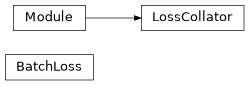
Class Inheritance Diagram
lib.training.lr_finder Module
Learning Rate Finder for faceswap.py.
- class lib.training.lr_finder.LRStrength(*values)
Enum for how aggressively to set the optimal learning rate
- class lib.training.lr_finder.LearningRateFinder(trainer: train.Trainer, scheduler: ExponentialLR, steps: int, strength: T.Literal['default', 'aggressive', 'extreme'], mode: T.Literal['set', 'graph_and_set', 'graph_and_exit'], stop_factor: int = 4, beta: float = 0.98)
Learning Rate Finder
- Parameters:
trainer (train.Trainer) – The training loop with the loaded training plugin
scheduler (ExponentialLR) – The LRFinder scheduler
steps (int) – The number of steps to run the finder for
strength (T.Literal['default', 'aggressive', 'extreme']) – How aggressively to set the optimal learning rate
mode (T.Literal['set', 'graph_and_set', 'graph_and_exit']) – The mode to run the Learning Rate Finder in
stop_factor (int) – When to stop finding the optimal learning rate
beta (float) – Amount to smooth loss by, for graphing purposes
- property best_lr: None | float
The discovered best learning rate or
Noneif not found
- find() None
Find the optimal learning rate
- Return type:
None
Classes
|
Enum for how aggressively to set the optimal learning rate |
|
Learning Rate Finder |
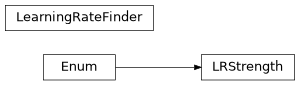
Class Inheritance Diagram
lib.training.lr_warmup Module
Handles Learning Rate Warmup when training a model
- class lib.training.lr_warmup.WarmupScheduler(optimizer: Optimizer, steps: int, last_epoch: int = -1)
Handles the updating of the model’s learning rate during Learning Rate Warmup
- Parameters:
optimizer (Optimizer) – The torch optimizer in use
steps (int) – The number of iterations to warmup the learning rate for
last_epoch (int) – The last step that was run (last_epoch is a misnomer inherited from PyTorch and actually refers to steps in our use case). Default: -1 (not yet started)
- get_lr() list[float | Tensor]
Get the learning rate for the current step
- Return type:
The next learning rate for each parameter group for the next step
- step(epoch=None) None
If a learning rate update is required, update the model’s learning rate, otherwise do nothing
- Parameters:
epoch – Deprecated argument from PyTorch that should always be
None. Default:None- Return type:
None
- steps
The total number of steps to warmup the LR for
Classes
|
Handles the updating of the model's learning rate during Learning Rate Warmup |
lib.training.optimizer Module
Wraps the selected Torch optimizer and handles optimizer related functions such as loss scaling, clipping and gradient accumulation
- class lib.training.optimizer.GradClip(method: Literal['autoclip', 'global_norm', 'norm', 'value'], value: float, autoclip_history: int = 10000)
Handles the clipping of gradients based on user supplied parameters
- Parameters:
method (T.Literal['autoclip', 'global_norm', 'norm', 'value']) – The clipping method to use
value (float) – The clipping value to use. For autoclip this is the percentile to clip at (a value of 1.0 will clip at the 10th percentile a value of 2.5 will clip at the 25th percentile etc)
autoclip_history (int) – The history length for auto clipping. Default: 10000
- __call__(parameters: list[Parameter]) None
Clip the given parameters by the chosen method
- Parameters:
parameters (list[Parameter]) – The parameters to clip
- Return type:
None
- class lib.training.optimizer.Optimizer(model: Model, config: type[OptConfig], mixed_precision: bool = False, warmup_steps: int = 0)
Object for managing the selected Torch optimizer
- Parameters:
model (Model) – The model that is to be trained
config (type[OptConfig]) – The optimizer user configuration options
mixed_precision (bool) –
Trueto train using mixed precision. Default:Falsewarmup_steps (int) – The number of steps to warmup the learning rate for. Default: 0
- backward(loss: Tensor) None
Perform the optimizer’s backward pass
- Parameters:
loss (Tensor) – The loss scalar from the forward pass
- Return type:
None
- find_learning_rate(trainer: Trainer, steps: int, start_lr: float, end_lr: float, strength: T.Literal['default', 'aggressive', 'extreme'], mode: T.Literal['set', 'graph_and_set', 'graph_and_exit']) bool
Use the Learning Rate Finder to discover the optimal learning rate
- Parameters:
trainer (Trainer) – The training loop with the loaded training plugin
steps (int) – The number of iterations to run the learning rate finder for
start_lr (float) – The learning rate to start scanning from
end_lr (float) – The final learning rate to scan until
strength (T.Literal['default', 'aggressive', 'extreme']) – How aggressively to set the optimal learning rate
mode (T.Literal['set', 'graph_and_set', 'graph_and_exit']) – The mode to run the Learning Rate Finder in
- Return type:
Trueif an optimal learning rate was discovered.
- load_state_dict(state_dict: dict[str, Any]) None
Load the serialized data from a state dict into this object
- Parameters:
state_dict (dict[str, Any]) – The serialized data to load
- Return type:
None
- set_lr(lr: float) None
Manually assign the optimizer’s learning rate with the given value
- Parameters:
lr (float) – The learning rate to apply to the optimizer
- Return type:
None
- state_dict() dict[str, Any]
Serialized data as a dict for relevant options contained in this class
- Return type:
The serialized data for this object for saving and loading
- step() None
Perform the optimizer step if valid and zero the gradients.
Handles gradient accumulation, scaling for mixed precision and gradient clipping
- Return type:
None
- to(device: torch.Device) None
Place the optimizer onto the given device
- Parameters:
device (torch.Device) – The device to place the optimizer on to
- Return type:
None
- lib.training.optimizer.get_parameter_group_ids(trainable_variables: list[Variable]) dict[int, T.Literal['decay', 'no_decay']]
Obtain the index of each item in the keras model’s trainable weights that belong to each of the optimizer’s parameter groups (ie split by weights that take decay and don’t take decay)
- Parameters:
trainable_variables (list[Variable]) – list of trainable variables from keras model
- Return type:
dictionary of keras model’s trainable weight index to the name of the parameter group
Functions
|
Obtain the index of each item in the keras model's trainable weights that belong to each of the optimizer's parameter groups (ie split by weights that take decay and don't take decay) |
Classes
|
Handles the clipping of gradients based on user supplied parameters |
|
Object for managing the selected Torch optimizer |
lib.training.preview Module
Handles the creation of display images for preview window and timelapses
- class lib.training.preview.Samples(coverage_ratio: float, has_mask: bool, mask_opacity: int, mask_color: str)
Compile samples for display for preview and time-lapse
- Parameters:
coverage_ratio (float) – Ratio of face to be cropped out of the training image.
has_mask (bool) –
Trueif the model was trained with a maskmask_opacity (int) – The opacity (as a percentage) to use for the mask overlay
mask_color (str) – The hex RGB value to use the mask overlay
- get_preview(predictions: npt.NDArray[np.float32], targets: npt.NDArray[np.float32]) npt.NDArray[np.uint8]
Compile a preview image.
- Predictions
The (BGR) predictions shape: (src_side, dst_side, batch_size, height, width, channels)
- targets
Full size BGR face patches at 100% coverage for patching predictions into in (A, B, …) order
- Return type:
A compiled preview image ready for display or saving
- Parameters:
predictions (npt.NDArray[np.float32])
targets (npt.NDArray[np.float32])
- toggle_mask_display() None
Toggle the mask overlay on or off depending on user input.
- Return type:
None
Classes
|
Compile samples for display for preview and time-lapse |
lib.training.preview_cv Module
The pop up preview window for Faceswap.
If Tkinter is installed, then this will be used to manage the preview image, otherwise we fallback to opencv’s imshow
- class lib.training.preview_cv.PreviewBase(preview_buffer: PreviewBuffer, triggers: dict[Literal['toggle_mask', 'refresh', 'save', 'quit', 'shutdown'], Event] | None = None)
Parent class for OpenCV and Tkinter Preview Windows
- Parameters:
preview_buffer (
PreviewBuffer) – The thread safe object holding the preview imagestriggers (dict, optional) – Dictionary of event triggers for pop-up preview. Not required when running inside the GUI. Default: None
- class lib.training.preview_cv.PreviewBuffer
A thread safe class for holding preview images
- add_image(name: str, image: np.ndarray) None
Add an image to the preview buffer in a thread safe way
- Parameters:
name (str)
image (np.ndarray)
- Return type:
None
- get_images() Generator[tuple[str, np.ndarray], None, None]
Get the latest images from the preview buffer. When iterator is exhausted clears the
updatedevent.- Yields:
name (str) – The name of the image
numpy.ndarray– The image in BGR format
- Return type:
Generator[tuple[str, np.ndarray], None, None]
- property is_updated: bool
Truewhen new images have been loaded into the preview buffer- Type:
bool
- class lib.training.preview_cv.PreviewCV(preview_buffer: PreviewBuffer, triggers: dict[Literal['toggle_mask', 'refresh', 'save', 'quit', 'shutdown'], Event])
Simple fall back preview viewer using OpenCV for when TKinter is not available
- Parameters:
preview_buffer (
PreviewBuffer) – The thread safe object holding the preview imagestriggers (dict) – Dictionary of event triggers for pop-up preview.
Classes
|
Parent class for OpenCV and Tkinter Preview Windows |
A thread safe class for holding preview images |
|
|
Simple fall back preview viewer using OpenCV for when TKinter is not available |
Class Inheritance Diagram

lib.training.preview_tk Module
The pop up preview window for Faceswap.
If Tkinter is installed, then this will be used to manage the preview image, otherwise we fallback to opencv’s imshow
- class lib.training.preview_tk.PreviewTk(preview_buffer: PreviewBuffer, parent: tk.Widget | None = None, taskbar: ttk.Frame | None = None, triggers: TriggerType | None = None)
Holds a preview window for displaying the pop out preview.
- Parameters:
preview_buffer (PreviewBuffer) – The thread safe object holding the preview images
parent (tk.Widget | None) – If this viewer is being called from the GUI the parent widget should be passed in here. If this is a standalone pop-up window then pass
None. Default:Nonetaskbar (ttk.Frame | None) – If this viewer is being called from the GUI the parent’s option frame should be passed in here. If this is a standalone pop-up window then pass
None. Default:Nonetriggers (TriggerType | None) – Dictionary of event triggers for pop-up preview. Not required when running inside the GUI. Default: None
- property master_frame: Frame
The master frame that holds the preview window
- pack(*args, **kwargs)
Redirect calls to pack the widget to pack the actual
_master_frame.Takes standard
tkinter.Framepack arguments
- remove_option_controls() None
Remove the taskbar options controls when the preview is disabled in the GUI
- Return type:
None
- save(location: str) None
Save action to be performed when save button pressed from the GUI.
- Parameters:
location (str) – Full path to the folder to save the preview image to
- Return type:
None
- lib.training.preview_tk.main()
Load image from first given argument and display
python -m lib.training.preview_tk <filename>
Functions
|
Load image from first given argument and display |
Classes
|
Holds a preview window for displaying the pop out preview. |
Class Inheritance Diagram

lib.training.tensorboard Module
Tensorboard call back for PyTorch logging. Hopefully temporary until a native Keras version is implemented
- class lib.training.tensorboard.RecordIterator(log_file, is_live: bool = False)
A replacement for tensorflow’s
compat.v1.io.tf_record_iterator()- Parameters:
log_file – The event log file to obtain records from
is_live (bool) –
Trueif the log file is for a live training session that will constantly provide data. Default:False
- __next__() bytes
Get the next event log from a Tensorboard event file
- Return type:
A Tensorboard event log
- Raises:
StopIteration – When the event log is fully consumed
- class lib.training.tensorboard.TorchTensorBoard(log_dir: str = 'logs', write_graph: bool = True, update_freq: Literal['batch', 'epoch'] | int = 'epoch')
Enable visualizations for TensorBoard. Adapted from Keras’ Tensorboard Callback keeping only the parts we need, and using Torch rather than TensorFlow
- Parameters:
log_dir (str) – The path of the directory where to save the log files to be parsed by TensorBoard. e.g., log_dir = os.path.join(working_dir, ‘logs’). This directory should not be reused by any other callbacks.
write_graph (bool) – Whether to visualize the graph in TensorBoard. Note that the log file can become quite large when write_graph is set to True. Note: Not supported at this time
update_freq (T.Literal['batch', 'epoch'] | int) – When using “epoch”, writes the losses and metrics to TensorBoard after every epoch. If using an integer, let’s say 1000, all metrics and losses (including custom ones added by Model.compile) will be logged to TensorBoard every 1000 batches. “batch” is a synonym for 1, meaning that they will be written every batch. Note however that writing too frequently to TensorBoard can slow down your training, especially when used with distribution strategies as it will incur additional synchronization overhead. Batch- level summary writing is also available via train_step override. Please see [TensorBoard Scalars tutorial](https://www.tensorflow.org/tensorboard/scalars_and_keras#batch-level_logging)
- on_save() None
Flush data to disk on save
- Return type:
None
- on_train_batch_end(batch: int, logs: dict[str, float | dict[str, float]] | None = None) None
Update Tensorboard logs on batch end
- Parameters:
batch (int) – The current iteration count
logs (dict[str, float | dict[str, float]] | None) – The logs to write
- Return type:
None
- on_train_begin(logs=None) None
Initialize the call back on train start
- Parameters:
logs – Unused
- Return type:
None
- on_train_end(logs=None) None
Close the writer on train completion
- Parameters:
logs – Unused
- Return type:
None
- set_model(model: Model) None
Sets Keras model and writes graph if specified.
- Parameters:
model (Model) – The model that is being trained
- Return type:
None
Classes
|
A replacement for tensorflow's |
|
Enable visualizations for TensorBoard. |
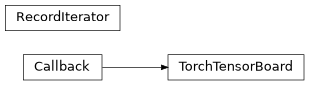
Class Inheritance Diagram
lib.training.train Module
Run the training loop for a training plugin
- class lib.training.train.Trainer(plugin: TrainerBase, preview: bool, warmup_steps: int = 0, timelapse_folders: list[str] | None = None, timelapse_output: str = '')
Handles the feeding of training images to Faceswap models, the generation of Tensorboard logs and the creation of sample/time-lapse preview images.
All Trainer plugins must inherit from this class.
- Parameters:
plugin (TrainerBase) – The plugin that will be processing each batch
preview (bool) –
Trueto generate previewswarmup_steps (int) – The number of steps to warmup the learning rate for. Default: 0
timelapse_folders (list[str] | None) – The input folders to create timelapse images from. Default:
None(no timelapse)timelapse_output (str) – The folder to output timelapse images. Default: “” (no timelapse)
- property exit_early: bool
Trueif the trainer should exit early, without performing any training steps
- save(is_exit: bool = False) None
Save the model
- Parameters:
is_exit (bool) –
Trueif save has been called on model exit. Default:False- Return type:
None
- toggle_mask() None
Toggle the mask overlay on or off based on user input.
- Return type:
None
- train_one_batch() list[BatchLoss]
Process a single batch through the model and obtain the loss
- Return type:
The collated loss values detached and moved to CPU in order (A, B, …)
- train_one_step(viewer: Callable[[np.ndarray, str], None] | None, do_timelapse: bool = False) None
Running training on a batch of images for each side.
Triggered from the training cycle in
scripts.train.Train.Runs a training batch through the model.
Outputs the iteration’s loss values to the console
Logs loss to Tensorboard, if logging is requested.
If a preview or time-lapse has been requested, then pushes sample images through the model to generate the previews
Creates a snapshot if the total iterations trained so far meet the requested snapshot criteria
Notes
As every iteration is called explicitly, the Parameters defined should always be
Noneexcept on save iterations.- Parameters:
viewer (Callable[[np.ndarray, str], None] | None) – The function that will display the preview image
do_timelapse (bool) –
Trueto generate a timelapse preview image
- Return type:
None
Classes
|
Handles the feeding of training images to Faceswap models, the generation of Tensorboard logs and the creation of sample/time-lapse preview images. |
Class Inheritance Diagram

data package
lib.training.data.augmentation Module
Processes the augmentation of images for feeding into a Faceswap model.
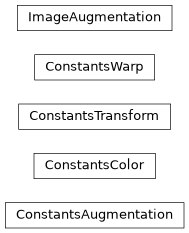
- class lib.training.data.augmentation.ConstantsAugmentation(color: ConstantsColor, transform: ConstantsTransform, warp: ConstantsWarp)
Dataclass for holding constants for Image Augmentation.
- Parameters:
color (ConstantsColor)
transform (ConstantsTransform)
warp (ConstantsWarp)
- color
The constants for adjusting color/contrast in an image
- transform
The constants for image transformation
- warp
The constants for image warping
- Dataclass should be initialized using its :func:`from_config` method
Example
>>> constants = ConstantsAugmentation.from_config(processing_size=256,
...                                               batch_size=16)
- color: ConstantsColor = <dataclasses._MISSING_TYPE object>
The constants for adjusting color/contrast in an image
- classmethod from_config(processing_size: int, batch_size: int) ConstantsAugmentation
Create a new dataclass instance from user config
- Parameters:
processing_size (int) – The size of image to augment the data for
batch_size (int) – The batch size that augmented data is being prepared for
- Return type:
- transform: ConstantsTransform = <dataclasses._MISSING_TYPE object>
The constants for image transformation
- warp: ConstantsWarp = <dataclasses._MISSING_TYPE object>
The constants for image warping
- class lib.training.data.augmentation.ConstantsColor(clahe_base_contrast: int, clahe_chance: float, clahe_max_size: int, lab_adjust: ndarray)
Dataclass for holding constants for enhancing an image (ie contrast/color adjustment)
- Parameters:
clahe_base_contrast (int) – The base number for Contrast Limited Adaptive Histogram Equalization
clahe_chance (float) – Probability to perform Contrast Limited Adaptive Histogram Equalization
clahe_max_size (int) – Maximum clahe window size
lab_adjust (numpy.ndarray) – Adjustment amounts for L*A*B augmentation
- clahe_base_contrast: int = <dataclasses._MISSING_TYPE object>
The base number for Contrast Limited Adaptive Histogram Equalization
- clahe_chance: float = <dataclasses._MISSING_TYPE object>
Probability to perform Contrast Limited Adaptive Histogram Equalization
- clahe_max_size: int = <dataclasses._MISSING_TYPE object>
Maximum clahe window size
- lab_adjust: ndarray = <dataclasses._MISSING_TYPE object>
Adjustment amounts for L*A*B augmentation
- class lib.training.data.augmentation.ConstantsTransform(rotation: int, zoom: float, shift: float, flip: float)
Dataclass for holding constants for transforming an image
- Parameters:
rotation (int) – Rotation range for transformations
zoom (float) – Zoom range for transformations
shift (float) – Shift range for transformations
flip (float)
- flip: float = <dataclasses._MISSING_TYPE object>
The chance to flip an image
- rotation: int = <dataclasses._MISSING_TYPE object>
Rotation range for transformations
- shift: float = <dataclasses._MISSING_TYPE object>
Shift range for transformations
- zoom: float = <dataclasses._MISSING_TYPE object>
Zoom range for transformations
- class lib.training.data.augmentation.ConstantsWarp(maps: ndarray, pad: tuple[int, int], slices: slice, scale: float, lm_edge_anchors: ndarray, lm_grids: ndarray, lm_scale: float)
Dataclass for holding constants for warping an image
- Parameters:
maps (numpy.ndarray) – The stacked (x, y) mappings for image warping
pad (tuple[int, int]) – The padding to apply for image warping
slices (slice) – The slices for extracting a warped image
lm_edge_anchors (numpy.ndarray) – The edge anchors for landmark based warping
lm_grids (numpy.ndarray) – The grids for landmark based warping
scale (float)
lm_scale (float)
- lm_edge_anchors: ndarray = <dataclasses._MISSING_TYPE object>
The edge anchors for landmark based warping
- lm_grids: ndarray = <dataclasses._MISSING_TYPE object>
The grids for landmark based warping
- lm_scale: float = <dataclasses._MISSING_TYPE object>
The scaling to apply to landmark based warping
- maps: ndarray = <dataclasses._MISSING_TYPE object>
The stacked (x, y) mappings for image warping
- pad: tuple[int, int] = <dataclasses._MISSING_TYPE object>
The padding to apply for image warping
- scale: float = <dataclasses._MISSING_TYPE object>
The scaling to apply to standard warping
- slices: slice = <dataclasses._MISSING_TYPE object>
The slices for extracting a warped image
- class lib.training.data.augmentation.ImageAugmentation(batch_size: int, processing_size: int)
Performs augmentation on batches of training images.
- Parameters:
batch_size (int) – The number of images that will be fed through the augmentation functions at once.
processing_size (int) – The largest input or output size of the model. This is the size that images are processed at.
- color_adjust(batch: ndarray) ndarray
Perform color augmentation on the passed in batch.
The color adjustment parameters are set in
config.train.ini- Parameters:
batch (ndarray) – The batch should be a 4-dimensional array of shape (batchsize, height, width, 3) and in BGR format of uint8 dtype.
- Return type:
A 4-dimensional array of the same shape as
batchwith color augmentation applied.
- random_flip(batch: npt.NDArray[np.uint8], points: npt.NDArray[np.float32] | None) None
Perform random horizontal flipping on the passed in batch.
The probability of flipping an image is set in
config.train.ini- Parameters:
batch (npt.NDArray[np.uint8]) – The batch should be a 4-dimensional array of shape (batchsize, height, width, channels) and in BGR format.
points (npt.NDArray[np.float32] | None) – Any (x, y) points to transform. Can be in any shape but the final dimension should be shape 2.
Noneif there are no points to transform
- Return type:
None
- transform(batch: npt.NDArray[np.uint8], points: npt.NDArray[np.float32] | None) None
Perform random transformation on the passed in batch and optional (x, y) points.
The transformation parameters are set in
config.train.ini- Parameters:
batch (npt.NDArray[np.uint8]) – The batch should be a 4-dimensional array of shape (batchsize, height, width, channels) and in BGR format.
points (npt.NDArray[np.float32] | None) – Any (x, y) points to transform. in shape (batch_size, num_sides, 68, 2).
Noneif there are no points to transform
- Return type:
None
- warp(batch: ndarray, to_landmarks: bool = False, batch_src_points: ndarray | None = None, batch_dst_points: ndarray | None = None) ndarray
Perform random warping on the passed in batch by one of two methods.
- Parameters:
batch (ndarray) – The batch should be a 4-dimensional array of shape (batchsize, height, width, 3) and in BGR format.
to_landmarks (bool) – If
Falseperform standard random warping of the input image. IfTrueperform warping to semi-random similar corresponding landmarks from the other side. Default:Falsebatch_src_points (ndarray | None) – Only used when
to_landmarksisTrue. A batch of 68 point landmarks for the source faces. This is a 3-dimensional array in the shape (batchsize, 68, 2). Default:Nonebatch_dst_points (ndarray | None) – Only used when
to_landmarksisTrue. A batch of randomly chosen closest match destination faces landmarks. This is a 3-dimensional array in the shape (batchsize, 68, 2). DefaultNone
- Return type:
A 4-dimensional array of the same shape as
batchwith warping applied.
Classes
|
Dataclass for holding constants for Image Augmentation. |
|
Dataclass for holding constants for enhancing an image (ie contrast/color adjustment) |
|
Dataclass for holding constants for transforming an image |
|
Dataclass for holding constants for warping an image |
|
Performs augmentation on batches of training images. |
Class Inheritance Diagram
lib.training.data.collate Module
Handles collation of data for training faceswap models
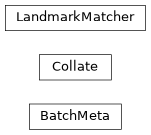
- class lib.training.data.collate.BatchMeta(mask_face: list[Tensor] | None = None, mask_eye: list[Tensor] | None = None, mask_mouth: list[Tensor] | None = None)
Dataclass that holds meta information required for training a batch of images
All lists are of len(number model outputs per side) with tensors in shape (batch_size, num_inputs, 1, H, W)
- Parameters:
mask_face (list[Tensor] | None)
mask_eye (list[Tensor] | None)
mask_mouth (list[Tensor] | None)
- mask_eye: list[Tensor] | None = None
The eye mask if eye loss multipliers > 1 for each output in NCHW order
- mask_face: list[Tensor] | None = None
The selected face mask for penalized loss/learn mask for each output in NCHW order
- mask_mouth: list[Tensor] | None = None
The mouth mask if mouth loss multipliers > 1 for each output in NCHW order
- to(device: str | torch.Device) T.Self
Place all contained tensors onto the given device
- Parameters:
device (str | torch.Device) – The device to place the tensors on to
- Return type:
This object with the tensors placed on the requested device
- class lib.training.data.collate.Collate(input_size: int, output_sizes: tuple[int, ...], color_order: T.Literal['bgr', 'rgb'], config: TrainConfig, landmarks: LandmarkMatcher | None)
Collation function for processing a batch of samples into input and output tensors applying augmentation
- Parameters:
input_size (int) – The pixel size of the model input
output_sizes (tuple[int, ...]) – The pixel sizes of the model output
color_order (T.Literal['bgr', 'rgb']) – The color order that the model expects
config (TrainConfig) – The training configuration for the model
landmarks (LandmarkMatcher | None) – The landmark matching object for the (A and B) sides of the model if warp_to_landmarks is enabled otherwise
None
- __call__(data: list[tuple[tuple[npt.NDArray[np.uint8], int], ...]]) tuple[list[torch.Tensor], list[torch.Tensor], BatchMeta]
Prepare the loaded samples for feeding the model, creating targets and applying augmentation
- Parameters:
data (list[tuple[tuple[npt.NDArray[np.uint8], int], ...]]) – Batch of data tuples with the loaded stacked image and masks from each loader in the first position and the image file index for each item in the batch in the 2nd
- Returns:
feed – list of len (num_inputs) tensors of shape(batch_size, H, W, C) inputs for the model
targets – List of len (num_outputs) of target images in shape (batch_size, num_inputs, height, width, 3) at all model output sizes as float32 0.0 - 1.0 range
meta – The meta information for the batch
- Return type:
tuple[list[torch.Tensor], list[torch.Tensor], BatchMeta]
- class lib.training.data.collate.LandmarkMatcher(folders: list[str], size: int, centering: CenteringType, coverage: float, y_offset: float, num_choices: int = 10)
Prepares landmarks when Warp-to-Landmarks is enabled.
2 sides (A/B) only.
For each side, stores the aligned landmarks for each side and collates the 10 nearest matches on the other side for random warping
- Parameters:
folders (list[str]) – Two training folders for sides A and B
size (int) – The aligned face size to transform the landmarks to
centering (CenteringType) – The aligned centering to transform the landmarks to
coverage (float) – Additional coverage ratio to be applied
y_offset (float) – Additional vertical offset to be applied
num_choices (int) – Number of choices from the opposite side to cache for each landmark. Default: 10
- get_close_landmarks(indices: npt.NDArray[np.int64]) npt.NDArray[np.float32]
For the given image indices, obtain a randomly selected close match landmarks from the other side
- Parameters:
indices (npt.NDArray[np.int64]) – The (num_inputs, landmark_indices) image file indices to obtain the matches for
- Returns:
2 sets of landmarks in shape (num_sides * batch_size, num_sides, 68, 2) stacked to a batch
of landmark points for augmentation
- Return type:
npt.NDArray[np.float32]
Classes
|
Dataclass that holds meta information required for training a batch of images |
|
Collation function for processing a batch of samples into input and output tensors applying augmentation |
|
Prepares landmarks when Warp-to-Landmarks is enabled. |
Class Inheritance Diagram
lib.training.data.data_set Module
Handles Data loading and augmentation for feeding Faceswap Models
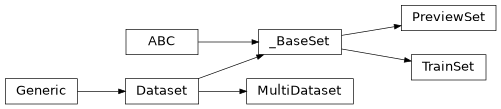
- class lib.training.data.data_set.MultiDataset(datasets: tuple[_BaseSet, ...], is_random: bool = True)
Handles processing data for models with multiple inputs. The length is set as the largest dataset. Shuffling all datasets is handled internally at the end of each
- Parameters:
datasets (tuple[_BaseSet, ...]) – The input specific datasets for feeding the model
is_random (bool) –
Trueif data from each of the datasets should be read randomly.Falseif all datasets should return the item for the given index
- shuffle() None
Shuffle all of the contained dataset’s data
- Return type:
None
- class lib.training.data.data_set.PreviewSet(side: str, image_folder: str, input_size: int, output_size: int, color_order: Literal['bgr', 'rgb'], num_images: int = 0)
Preview dataset loader. The dataset loader is responsible for loading images from disk and preparing them for inference and display in the model preview
- Parameters:
side (str) – The side of the model (“A”, “B” etc.)
image_folder (str) – Full path to a folder containing training images
input_size (int) – The input size to the model
output_size (int) – The largest output size of the model
color_order (T.Literal['bgr', 'rgb']) – The color order the model expects data in
num_images (int) – Set to 0 for random previews from the image folder. Set to a positive integer for this number of images to use for a static timelapse. Default: 0
- class lib.training.data.data_set.TrainSet(side: str, image_folder: str, size: int)
Base class for Training and Preview dataset loaders to inherit from
- Parameters:
side (str) – The side of the model (“A”, “B” etc.)
image_folder (str) – Full path to a folder containing training images
size (int) – The size to return samples at. This should be the maximum of the model input/output size for train sets or the model input size for preview sets
- lib.training.data.data_set.get_label(index: int, num_identities: int, next_identity: bool = False) str
Obtain the label for the given current index. Labels start at A at index 0. Values roll.
- Parameters:
index (int) – The index of the current label
num_identities (int) – The number of identities that belong to the label set
next_identity (bool) –
Trueto return the next identity for the given index. Default:False
- Return type:
The current or next label. Labels go A-Z,0-9,a-z
- lib.training.data.data_set.get_sorted_images(folder: str) list[str]
For the given folder return the sorted list of potential training images
- Parameters:
folder (str) – The folder containing faceswap training images
- Return type:
The sorted list of full paths to the training images within the folder
- lib.training.data.data_set.to_float32(in_array: npt.NDArray[np.uint8]) npt.NDArray[np.float32]
Cast an UINT8 array in 0-255 range to float32 in 0.0-1.0 range.
- Parameters:
in_array (npt.NDArray[np.uint8]) – The input uint8 array
- Return type:
The array cast to 0.0 - 1.0 float32
Functions
|
Obtain the label for the given current index. |
|
For the given folder return the sorted list of potential training images |
|
Cast an UINT8 array in 0-255 range to float32 in 0.0-1.0 range. |
Classes
|
Handles processing data for models with multiple inputs. |
|
Preview dataset loader. |
|
Base class for Training and Preview dataset loaders to inherit from |
Class Inheritance Diagram
lib.training.data.loader Module
Handles the loading of data for training and previews for faceswap models
- class lib.training.data.loader.PreviewLoader(input_size: int, output_size: int, color_order: Literal['bgr', 'rgb'], input_folders: list[str], batch_size: int, sampler: None | type[RandomSampler | SequentialSampler] = None, num_samples: int = 0)
Generator for feeding faceswap models input data for generating preview images. Gets the next items from each of the configured loaders and collates them for feeding into a model
- Parameters:
input_size (int) – The input size to the model
output_sizes – The output sizes to the model (list as some models have multi-scale outputs)
color_order (T.Literal['bgr', 'rgb']) – The color order of the model
input_folders (list[str]) – list of folders to read images from for each side being trained
batch_size (int) – The number of images being displayed in the preview
sampler (None | type[tch_data.RandomSampler | tch_data.SequentialSampler]) – The sampler to use for the data loaders. Default:
None(RandomSampler)num_samples (int) – Set to 0 for random previews from the image folder. Set to a positive integer for this number of images to use for a static timelapse. Default: 0
output_size (int)
- __next__() tuple[Tensor, Tensor]
Obtain the next batch of data for each side for feeding the model
- Returns:
inputs – The inputs to the model for each side of the model. The array is returned in (side, batch_size, *dims) where side 0 is “A” and side 1 is “B” etc.
targets – The full sized source image with mask in 4th channel for each side of the model in format (side, batch_size, *dims, 4) where `side 0 is “A” and side 1 is “B” etc.
- Return type:
tuple[Tensor, Tensor]
- get_loader() DataLoader
Obtain the dataloaders for each input/output for the model
- Return type:
The Training data loaders in side order
- class lib.training.data.loader.TrainLoader(input_size: int, output_sizes: tuple[int, ...], color_order: T.Literal['bgr', 'rgb'], config: TrainConfig, sampler: None | type[tch_data.RandomSampler | tch_data.DistributedSampler] = None)
Generator for feeding faceswap models with multiple inputs and outputs. Gets the next items from each of the configured loaders and collates them for feeding into a model
- Parameters:
input_size (int) – The input size to the model
output_sizes (tuple[int, ...]) – The output sizes to the model (list as some models have multi-scale outputs)
color_order (T.Literal['bgr', 'rgb']) – The color order of the model
config (TrainConfig) – The training configuration for feeding the model
sampler (None | type[tch_data.RandomSampler | tch_data.DistributedSampler]) – The sampler to use for the data loaders. Default:
None(RandomSampler)
- __next__() tuple[list[torch.Tensor], list[torch.Tensor], BatchMeta]
Obtain the next outputs from the loader
- Returns:
inputs – list of len (num_inputs) tensors of shape(batch_size, H, W, C) inputs for the model
targets – List of len (num_outputs) of target images in shape (batch_size, num_inputs, height, width, 3) at all model output sizes as float32 0.0 - 1.0 range
meta – The meta information for the batch
- Return type:
tuple[list[torch.Tensor], list[torch.Tensor], BatchMeta]
- get_loader() DataLoader
Obtain the dataloaders for each input/output for the model
- Return type:
The Training data loaders in side order
Classes
|
Collation function for processing a batch of samples into input and output tensors applying augmentation |
|
Data loader combines a dataset and a sampler, and provides an iterable over the given dataset. |
|
Prepares landmarks when Warp-to-Landmarks is enabled. |
|
Handles processing data for models with multiple inputs. |
|
Generator for feeding faceswap models input data for generating preview images. |
|
Preview dataset loader. |
|
Generator for feeding faceswap models with multiple inputs and outputs. |
|
Base class for Training and Preview dataset loaders to inherit from |
Variables
A standard |
Class Inheritance Diagram